
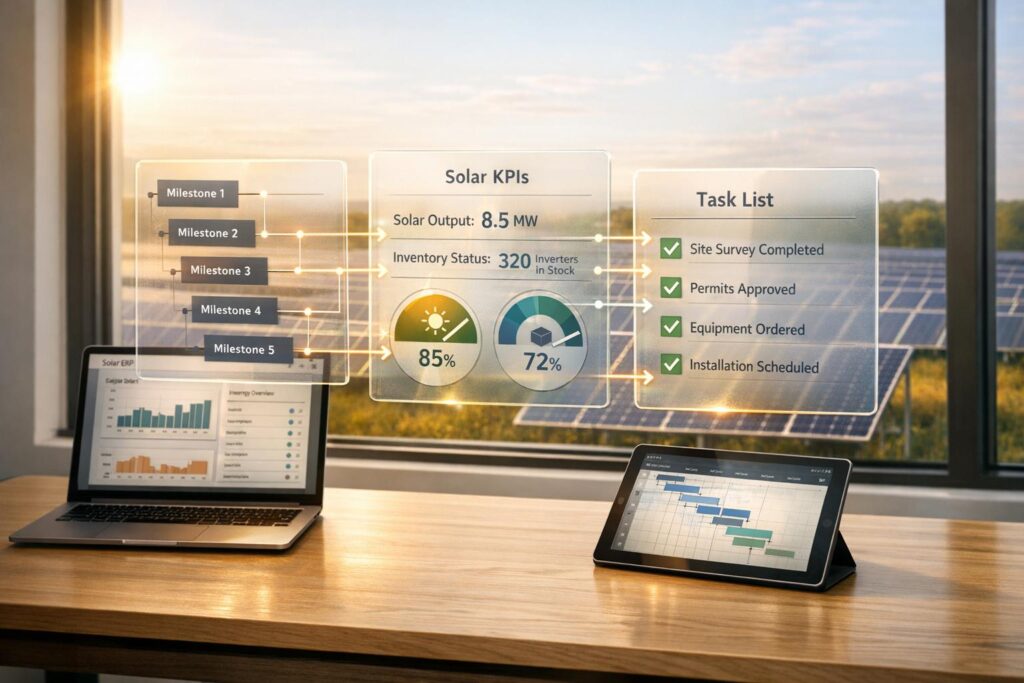
Solar ERP systems simplify solar business operations by centralizing workflows like permitting, scheduling, and inventory management. Integrating these systems with project management tools ensures real-time data syncing, reduces manual tasks, and improves efficiency by up to 30%, according to McKinsey. This integration also helps track project milestones, automate tasks, and provide clear visibility into project progress and finances, enabling solar companies to scale without added complexity.
Key takeaways:
- Solar ERP: Tailored software for solar companies, streamlining operations like CRM, permitting, and procurement.
- Integration Benefits: Syncs data, automates workflows, and reduces delays.
- Steps to Implement:
- Assess current systems and bottlenecks.
- Choose solar-specific ERP (e.g., SolarSuccess).
- Set up API connections for data flow.
- Test with a pilot project before full rollout.
- Challenges: Data sync issues and user adoption can arise but are solvable with tools like bluConnect and proper training.
This integration transforms solar project management, making operations smoother and more efficient.
Step-by-Step Process for Integrating Solar ERP with Project Management
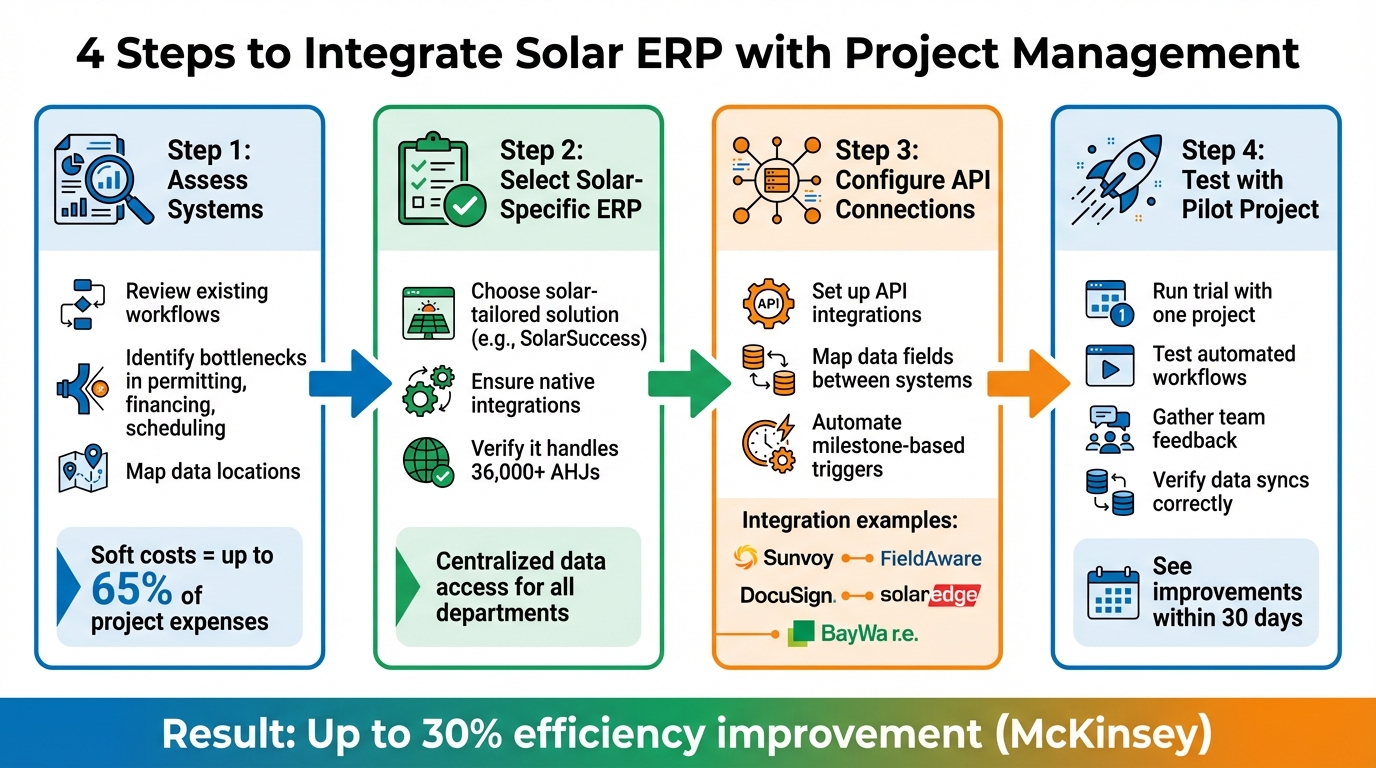
4-Step Solar ERP Integration Process for Project Management
Assess Current Systems and Business Requirements
Before diving into integration, take a good look at your existing systems and workflows. Where does your data live? Are you juggling separate tools for project management, file storage, and accounting? Many solar companies end up patching gaps manually, which not only eats up time but also increases the chance of errors.
"Sharing data across these systems was difficult, and in most cases our only way to ‘patch the holes’ was by adding labor. We wanted to get everything on one system." – Aaron Casillas, Technology and Infrastructure Director, Titan Solar Power
Start by reviewing your spreadsheets for tracking projects, managing sales pipelines, and calculating commissions. Pinpoint workflow bottlenecks – where do delays happen? Is it during permitting, financing, or scheduling installations? These insights will help you focus on integration features that can save time and cut costs. For example, soft costs like permitting and financing can account for up to 65% of total project expenses, so streamlining these areas can make a big difference.
In February 2020, Titan Solar Power – then the third-largest residential solar installer in the U.S. – moved from a custom-built project management system to SolarSuccess ERP. This change eliminated manual data entry, reduced labor for commission payouts, sped up installation timelines, and introduced a homeowner install portal.
Once you’ve mapped out your systems and identified pain points, the next step is choosing an ERP tailored to solar operations.
Select a Solar-Specific ERP Like SolarSuccess

Standard business software often falls short for solar companies. The challenges you identified – like disconnected systems and manual processes – require an ERP designed specifically for solar workflows. Look for a system that integrates with tools for design and compliance. SolarSuccess is a great example; it’s built to meet solar-specific needs, providing native integrations that let all departments access the same data. When comparing options, prioritize ERPs that centralize data and can handle the complexities of working with over 36,000 different Authorities Having Jurisdiction (AHJs) in the U.S..
"Take the time getting to know both the industry-wide and customer-specific needs." – Jan Rippingale, CEO, Blu Banyan
Configure API Connections and Map Data
To link your ERP with project management tools, set up API integrations and map data fields so information flows smoothly between systems. For instance, project milestones in your management tool should automatically trigger accounting tasks like generating invoices in the ERP.
Automate key actions with milestone-based triggers. When a permit gets approved, the system should update project timelines, notify the team, and prepare the next steps. Be sure to account for solar-specific data like Bills of Materials (BOM), distributor inventory, and document updates for each project.
| Integration Category | Tool | Mapped Data |
|---|---|---|
| Customer Engagement | Sunvoy | Project management and accounting data |
| Field Service | FieldAware | Field tasks, technician assignments |
| Equipment/Supply | BayWa r.e. | Inventory and ordering data |
| eSignatures | DocuSign | Templates for customer signoffs |
| Monitoring | SolarEdge | PV performance and fault detection |
In early 2025, Big Sun Solar implemented SolarSuccess ERP on the NetSuite platform. This upgrade unified their operations, introduced real-time costing through bluActions™, and replaced siloed tools with a single source of truth.
Once your data mapping is complete, ensure updates are instant and consistent across all platforms.
Enable Real-Time Data Synchronization
Real-time updates are non-negotiable. Your systems should sync instantly so that changes in one tool reflect everywhere. For example, when a field technician logs completed work via a mobile device, that data should immediately update project budgets, trigger the next workflow step, and notify managers.
Tools like bluConnect simplify this process by serving as a central hub for integrations between your ERP and third-party apps. This approach eliminates delays caused by batch updates or manual data transfers. Additionally, ensure that mobile access is enabled for field teams, allowing them to log work, track parts, and submit expenses directly from the job site.
"When you’re aggregating a group of point applications – regardless of how good each of those programs is individually – you really need them to be able to talk to one another. The only way to make that happen is with an integrated or unified application suite on a single database." – Clive Smith, Chief Business Development Officer, Blu Banyan
Test and Launch with a Pilot Project
Once your workflows are set up, start with a pilot project to test the system before rolling it out fully. This trial run helps catch and fix issues early. During this phase, confirm that automated workflows are functioning correctly, data syncs seamlessly, and team members can access the information they need.
The pilot is the perfect time to test task sequencing. For instance, installation scheduling should only begin after permits are approved and materials are confirmed in inventory. Evaluate how well the system manages resources across multiple locations and whether billing triggers activate at the right project milestones.
"SolarSuccess and our ecosystem of partners give solar installation companies the ability to streamline the flow of information between systems without complex in-house integration management." – Blu Banyan
Use this phase to move away from manual tracking. Encourage multiple users to update actions in the system simultaneously to test collaboration features. Many companies notice improvements within 30 days of integration, so use this period to gather feedback and fine-tune the system before scaling it to all projects. For more implementation guides, visit our business management resource library.
sbb-itb-2560759
Key Benefits of Integrating Solar ERP with Project Management
Better Workflow Efficiency
Implementing Solar ERP software and integrating it with project management tools can make a huge difference in how smoothly your team operates. By automating repetitive tasks and syncing updates, it eliminates the need for duplicate data entry and reduces delays caused by manual processes. For example, SolarSuccess uses Project Action Management to handle repetitive tasks and Preceding Action automation to trigger dependent tasks in sequence. Imagine this: once a permit gets approved, the system instantly notifies the installation team and updates the schedule – no manual follow-ups needed. Research also backs up these gains, showing that digital project management significantly boosts efficiency.
The Enhanced Scheduler is another game-changer. It provides a centralized view of multiple projects, allowing solar companies to scale operations from just a handful of projects to over 40 each month without losing efficiency. All of this leads to smoother workflows and better data management across the board.
Better Data Visibility and Reporting
Say goodbye to juggling endless spreadsheets. With an integrated system, real-time dashboards give you a clear, centralized view of project progress, performance, and finances across all departments. SolarSuccess, for instance, offers real-time updates that combine sales, accounting, and project management data into one seamless platform.
This level of visibility is a game-changer for decision-making. You can quickly identify bottlenecks, track ROI, and make adjustments based on solid data. Plus, integration with monitoring tools means you can track solar installation performance throughout its lifecycle, enabling proactive maintenance and quicker billing for clients. Automated reports on milestones, budgets, and KPIs are just a click away, helping you stay on top of every aspect of your projects.
With clear, actionable insights at your fingertips, scaling your operations becomes much more manageable.
Scalability for Growing Solar Projects
As your solar business grows, managing a larger project load shouldn’t mean hiring a ton of new staff. Integration helps you handle more projects with the same resources by automating resource allocation and providing consolidated dashboards. Tools like bluTime offer precise tracking of resources and time, helping you optimize allocation for larger projects and multiple locations. Combined with the Enhanced Scheduler, this ensures efficient multi-project management, which reduces costs and boosts profitability as your operations expand.
The best part? Your system grows with you. SolarSuccess enables centralized management of multiple projects, providing real-time analytics that streamline everything from sales to installation. This unified approach allows you to scale without worrying about errors or inefficiencies along the way.
Challenges of Integration and Practical Solutions
Integrating solar ERP systems with project management tools can streamline processes, but it doesn’t come without hurdles. Addressing these challenges effectively is key to ensuring smooth operations.
Overcoming Data Synchronization Issues
Even with integration in place, technical problems can arise – data synchronization being one of the most common. Solar companies often deal with a tangled web of incompatible applications, leading to conflicting data and redundant functions.
This is where bluConnect steps in. Acting as a bridge, it ensures a "Single Source of Truth" by automatically syncing data between platforms like NetSuite, HubSpot, and Zoom. For example, when a lead’s status changes in your CRM, bluConnect ensures this is instantly reflected in related tools, such as your email platform, keeping everything aligned. Additionally, if project timelines shift, bluConnect adjusts associated budget items and downstream actions, maintaining balance between costs and revenue.
Once technical issues are resolved, the next challenge is getting teams to fully embrace the new system.
Addressing User Adoption Barriers
Encouraging team adoption can be harder than the technical implementation itself. Success starts with providing robust training resources – this could include documentation, screen recordings, and live sessions. Clear standard operating procedures (SOPs) are also essential. For instance, you might require new leads to be entered into the CRM within 24 hours or task statuses to be updated weekly by solar developers.
To simplify the transition, bluChat centralizes communication within the ERP, eliminating scattered email threads and external chat tools. Joe Marhamati, Co-Founder & VP, highlights the impact of this approach:
"We’re doing more with the same number of people and we have a system that’s more reliable and less stressful than tracking a million different spreadsheets".
Assigning specific team members to oversee tasks like data cleanup, training, and software setup ensures accountability. Regular check-ins – monthly or quarterly – help review workflows, retrain as needed, and fine-tune processes for better results.
Ensuring Compliance and Customization
Solar companies must navigate strict compliance rules for permitting, regulatory filings, and financial reporting. SolarSuccess simplifies this with its Entity Actions feature, which automatically assigns project-specific requirements, documents, and actions based on the relevant Authority Having Jurisdiction (AHJ), HOA, or financier.
Customizable dashboards within the platform deliver real-time analytics and reports, enabling informed decision-making while staying compliant. For instance, pivot tables tracking AHJ Inspection Rejection Rates and Permit Rejection Rates help identify recurring issues, such as design flaws or regional variations, allowing teams to address these proactively. The system also lets you tailor workflows and notifications to your team’s needs, including compliance-specific alerts and automated approvals, reducing the risk of errors or non-compliance. Integration with accounting tools further ensures that financial transactions align with regulatory standards for billing and reconciliation.
Conclusion and Key Takeaways
Final Thoughts on Integration
Bringing solar ERP systems together with project management tools has completely changed how solar businesses operate. Gone are the days of juggling multiple spreadsheets and disconnected apps. Now, everything flows seamlessly through one unified platform. This shift means less manual data entry, real-time insights to keep projects on track and within budget, and the ability to scale operations without piling on extra costs. According to McKinsey, adopting digital project management systems can boost solar project efficiency by as much as 30%.
One standout example of this transformation is SolarSuccess by Blu Banyan. It offers tools like the Enhanced Scheduler for managing multiple locations, Project Action Management for centralized oversight, and Preceding Action Automation to ensure tasks only kick off when prerequisites are met. These features make handling complex projects far more manageable. Impressively, SolarSuccess is already powering nearly one-third of all rooftop solar installations across the U.S., showing how the right tools can turn operational headaches into smooth, streamlined processes.
Next Steps for Businesses
To take advantage of these benefits, start by evaluating your current workflows. Pinpoint the pain points – manual tracking, scattered data, or compliance struggles – and consider a solution like SolarSuccess. This solar-specific ERP integrates accounting, CRM, and project management in a single platform built on NetSuite. Most solar companies report noticeable improvements within just 30 days of implementation, with initial setup typically completed in 1-2 weeks.
When planning your integration, focus on key steps: set up API connections, train your team on standard operating procedures (like entering leads within 24 hours or updating task statuses weekly), and begin with a pilot project to fine-tune the process. Blu Banyan also offers implementation support to help you achieve quick results and long-term growth.
FAQs
Which project milestones should trigger ERP actions?
Key moments in a project – like the start date, critical scheduling checkpoints, permitting and inspection deadlines, or the completion of major phases – should activate specific actions within the ERP system. These triggers are essential for keeping updates timely, allocating resources efficiently, and tracking progress with precision.
How do we keep ERP and project data in sync in real time?
Real-time synchronization between ERP and project data happens through built-in features that enable instant updates across key modules like accounting, inventory, and project management. Blu Banyan takes this a step further by leveraging APIs and SuiteApps such as bluDocs and bluTime. These tools ensure smooth integration, cutting down on delays and errors. The result? Better coordination, faster decision-making, and improved operational clarity.
What’s the fastest way to get team adoption after go-live?
The fastest way to get your team on board after go-live is by using real-time project tracking tools. These tools centralize all your data, provide live dashboards, and allow mobile access, making it easier for teams to stay efficient and make informed decisions on the go.
Introducing user-friendly ERP features can also boost engagement. Features like live progress updates, integrated communication tools (such as bluChat), and resource management capabilities help streamline collaboration and keep everyone aligned.
To speed up adoption, invest in training sessions and show your team how these tools simplify their workflows. When people see how these features save time and reduce hassle, they’re more likely to embrace them.
