
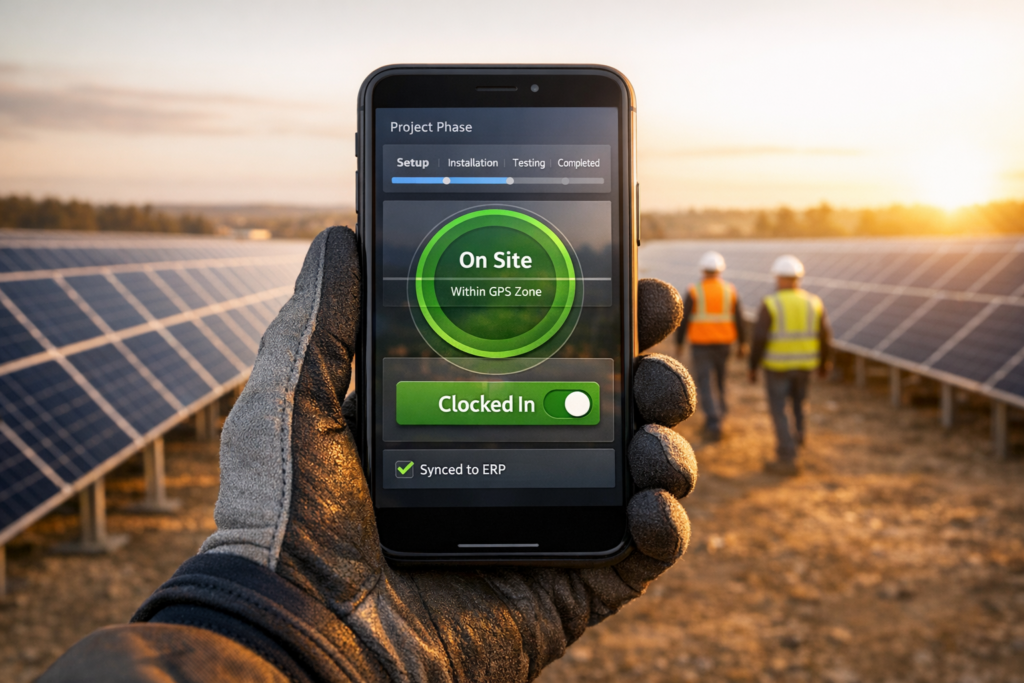
Managing solar projects efficiently requires precise labor tracking. Mobile timekeeping replaces error-prone paper timesheets with real-time tracking through smartphones or tablets, helping solar teams log hours accurately by project phase. This ensures better cost control, compliance with labor laws, and faster payroll processing.
Key Takeaways:
- Real-Time Tracking: Eliminates memory-based errors and ensures accurate labor data.
- Detailed Phase Logging: Tracks hours by specific tasks like installation or commissioning.
- Compliance: Automates rules for overtime, union pay scales, and multi-state regulations.
- Efficiency Gains: Reduces payroll processing time by 30% and project-to-cash cycles by 40%.
- Improved Decision-Making: Provides insights into labor costs, overtime, and productivity.
Mobile timekeeping tools integrate seamlessly with ERP & Inventory Management Software, offering project managers and finance teams the data needed to monitor costs and improve future estimates. By implementing clear policies, rugged devices, and secure features like GPS geofencing, solar companies can streamline operations and enhance project performance.
Preparing for Mobile Timekeeping Implementation
Identifying Key Stakeholders
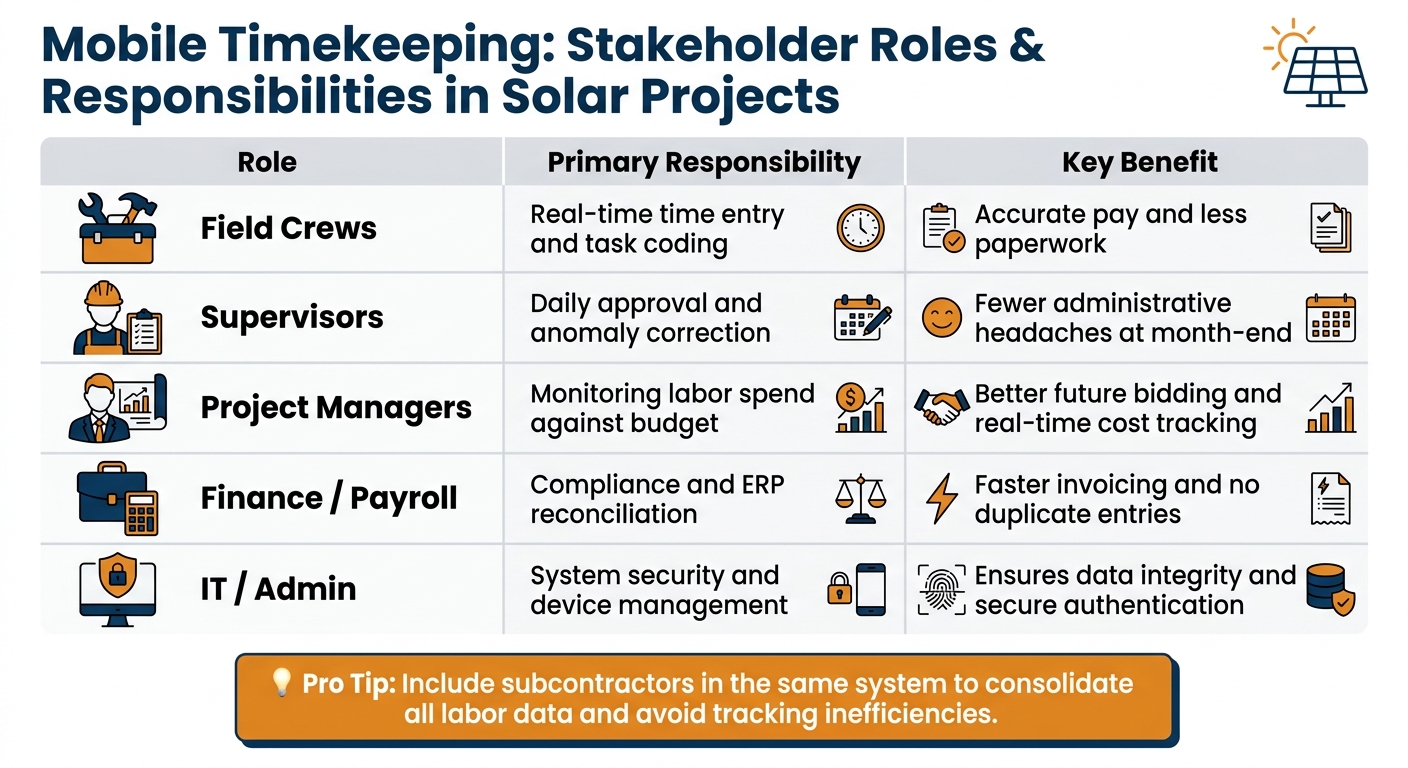
Getting the right people involved from the start is crucial for a smooth rollout. Mobile timekeeping impacts nearly every part of a solar business, so it’s essential that each stakeholder knows their role before implementation begins.
| Stakeholder | Primary Responsibility | Key Benefit |
|---|---|---|
| Field Crews | Real-time time entry and task coding | Accurate pay and less paperwork [5] |
| Supervisors | Daily approval and anomaly correction | Fewer administrative headaches at month-end |
| Project Managers | Monitoring labor spend against budget | Better future bidding and real-time cost tracking [4] |
| Finance/Payroll | Compliance and ERP reconciliation | Faster invoicing and no duplicate entries [5] |
| IT/Admin | System security and device management | Ensures data integrity and secure authentication [5][2] |
It’s also a good idea to include subcontractors in the same system. Flagging their pay structures within the platform consolidates labor data and avoids the inefficiencies of tracking internal and external crews separately.
Simon Poole-Anderson suggests starting small by piloting the system with tech-savvy crew members:
“Take a crew, find some champions – there’s going to be tech-savvy folks in those crews – run a two‑week pilot with one crew to resolve technical and workflow issues before scaling up.”
Defining Timekeeping Policies and Standards
Once stakeholders are identified, the next step is setting clear, real-time timekeeping policies. Without strong guidelines, common pitfalls – like logging time retrospectively – can derail the system. As Poole-Anderson puts it: “Don’t rely on your memory. Get it done at the point that it happens.” Real-time entry should be a firm rule, not just a suggestion.
Equally important is how time gets coded. Generic entries are practically useless for effective job costing. Field crews should log hours against specific project phases – like site surveys, permitting, installation, or commissioning. This level of detail allows project managers to track margins more precisely. Involving project managers in setting up these codes before implementation ensures the data collected will be actionable.
Compliance with U.S. labor laws needs to be built into the system as well. Automated workflows for overtime rules, break requirements, and multi-level approvals reduce the risk of violations. This is especially critical for solar companies that operate across multiple states, where wage and hour laws can vary significantly.
Choosing Devices and Securing Data
Once policies are in place, it’s time to select the right technology. Solar sites often present challenging conditions, so the devices need to be tough. Dust, rain, direct sunlight, and rough handling can quickly damage consumer-grade smartphones. Ruggedized devices, while more expensive upfront, are a better fit for crews working in the field full-time.
Connectivity is another challenge. Many solar installations are in remote areas with spotty cellular coverage. Any device or app you choose must support offline data capture. This ensures hours logged without a signal will sync automatically once connectivity is restored, preventing data loss.
Security is equally important. Two features stand out: biometric authentication (like facial recognition) and GPS geofencing. Biometrics eliminate “buddy punching,” where one worker clocks in for another. As Poole-Anderson explains: “Buddy punching is time theft. It’s a fraud piece… It can seem quite innocent – just trying to help out a friend – but actually it’s not.”
Geofencing ensures workers are physically on-site when they clock in. It also doubles as a safety tool. According to Poole-Anderson: “Think of GPS as just an enabler for geofencing… It also doubles as a safety tool: in an emergency, you can see exactly who’s on site in real time.”
When introducing GPS tracking, present it as a tool for pay accuracy and worker safety rather than surveillance. This approach helps reduce resistance and encourages smoother adoption among field teams.
Configuring Mobile Timekeeping Tools
User and Role Setup
Set up user roles using a role-based access control (RBAC) system. For example, field technicians should only be able to log and edit their own time, foremen can approve their crew’s entries, and payroll staff handle final exports and compliance adjustments. Project managers, on the other hand, should have read-only access to labor data organized by project and cost code, without any access to payroll processing. This structure reinforces the real-time data entry policies you’ve already put in place.
To streamline the setup process, bulk-import user data from your HR or ERP system using a CSV file or API connection. You can map job titles directly to predefined roles – like assigning “Lead Installers” to the Foreman role. For solar companies using NetSuite-based tools like Blu Banyan’s SolarSuccess, you can further refine access. For instance, a foreman can be restricted to projects where they are listed as the primary supervisor, while payroll users retain complete visibility across all jobs.
It’s also a good idea to establish escalation rules early on. For instance, if a foreman doesn’t approve their crew’s time within 24 hours, the system can automatically flag the entry to the project manager. This prevents delays at the end of the pay period.
Syncing Projects, Tasks, and Cost Codes
Once user roles are set, make sure project data flows smoothly between the field and your ERP system. Always treat the ERP as the master source of data, syncing project and cost code information outward to the mobile app. This approach minimizes errors and ensures consistency between the field and back office.
For solar jobs, tasks might include phases like site survey, racking installation, module installation, DC wiring, AC wiring and interconnection, inverter setup, commissioning and testing, inspection, and operations and maintenance. Each task should align with a corresponding ERP phase or work breakdown structure (WBS) code. For example, if a technician logs time for “DC wiring” in the mobile app, it should automatically post to the correct ERP phase – eliminating the need for manual corrections.
To avoid miscoding, limit the cost codes visible to each crew to only those relevant to their current project. A full company-wide list can lead to errors and require time-consuming cleanups. Schedule data syncs every 15–30 minutes during work hours, and lock in-app cost code edits to ensure the ERP remains the single source of truth.
ERP Integration and Policy Automation
After ensuring project data syncs reliably, focus on integrating your ERP with the mobile app to automate policy enforcement. The goal is to create a two-way data flow: the ERP sends master data (projects, tasks, cost codes) to the app, while approved time entries automatically feed back into payroll and job costing.
Before going live, carefully map every field to ensure alignment between systems. This includes employee IDs, project IDs, cost codes, pay items, and departments. Misaligned IDs are a common cause of sync failures, so automated field mapping can save a lot of headaches. Once mapping is complete, configure overtime rules. For example, federal FLSA requires 1.5x pay for hours worked beyond 40 per week, while states like California add daily overtime thresholds (1.5x pay for over 8 hours per day and 2x pay for over 12 hours). These rules, once programmed, will automatically apply to time entries.
In February 2026, Blu Banyan and LumberFi introduced an integration between SolarSuccess on Oracle NetSuite and LumberFi’s workforce management platform. For a solar contractor managing 30 residential jobs per month, this integration allows payroll results to post directly to specific project phases – like site survey, installation, and commissioning – immediately after payroll processing. This system helps project managers identify overtime issues early, preventing margin problems from snowballing.
Before fully transitioning to the automated system, run parallel payrolls for one or two pay periods. Compare manual calculations with automated outputs to confirm that overtime rules, break policies, and cost allocations are functioning as expected.
Best Practices for Daily Use
Daily Workflows for Field Teams
The real challenge for field teams isn’t just tracking hours – it’s ensuring the data collected is accurate and logged in real time. As Journyx points out:
“Mobile time clock apps help reduce those issues by allowing crews to capture time while work is happening rather than reconstructing it later.”
With real-time start/stop tracking, technicians can seamlessly switch between tasks – like moving from racking installation to DC wiring – by simply tapping to stop one task and start the next. This eliminates the reliance on memory-based entries, which often lead to errors in assigning the correct cost codes. For larger teams, foremen can streamline the process further by using crew-based time capture, logging hours for the entire group through a single mobile interface.
But time tracking is just the beginning. Field teams should also use apps to log other essential details like parts, mileage, and equipment usage. Blu Banyan highlights the importance of this, stating:
“Technicians record job details, materials, and signatures on their device, and updates hit the project instantly.” [5]
This level of precision ensures job costing stays accurate while cutting down on unnecessary back-and-forth between the field and the office. For areas with poor network connectivity, using an app with offline capabilities is crucial to prevent data loss.
Supervisor Approvals and Time Reviews
Once field data is captured, the focus shifts to validating its accuracy. Supervisors shouldn’t just rubber-stamp time entries – they need to carefully review them. This involves checking that each entry is assigned to the correct project phase and cost code, rather than simply tallying up hours. Supervisors should also have the ability to adjust entries when necessary, like reallocating hours from one task to another if they’ve been mistakenly logged.
A tiered approval system can add another layer of accuracy. For example, foremen can handle the initial review and approval of crew time, while project managers perform a second-level check to ensure labor allocations align with project needs. To keep things on track, configure your system to send automated reminders for overdue approvals and escalate unreviewed entries after a set time frame – 24 to 48 hours is a good benchmark.
Keeping Records Accurate and Compliant
Maintaining accurate records isn’t just about efficiency – it’s also about compliance. Consistent daily entries are critical for ensuring data quality. Gustavo Cañete, Co-Founder & Development Director at BrokenRubik, emphasizes this point:
“The number one predictor of time tracking data quality is whether people enter time daily or weekly.”
Features like GPS tags and geofencing add another layer of validation, confirming on-site presence, preventing buddy punching, and supporting compliance documentation.
To further ensure accuracy, cross-check time entries with daily construction logs or field notes. For instance, if a log shows that a module installation was completed on a specific day, the corresponding time entries should reflect that progress. Address any discrepancies immediately to avoid errors piling up by the end of the reporting period.
Using Timekeeping Data to Improve Project Performance
With reliable mobile timekeeping practices in place, you can now use this wealth of data to enhance project performance in meaningful ways.
Key Metrics for Solar Projects
Once your team is consistently logging time in the field, it’s time to turn that data into actionable insights. For solar contractors, labor accounts for 40–60% of the cost of residential rooftop installations, meaning even small improvements in tracking and managing labor can directly protect profit margins.
Here are the most important metrics to monitor:
- Labor hours per kW installed: Calculate this by dividing total installation hours by DC kW installed (e.g., 96 hours/24 kW = 4 hours/kW). This serves as a benchmark for future projects.
- Planned vs. actual labor hours: Use a simple variance formula to measure this. For example, if you budgeted 120 hours but used 144, you’re 20% over plan – a red flag worth investigating.
- Overtime percentage (OT%): This is a critical metric. Research shows that unplanned overtime exceeding 10 hours per week can reduce productivity by 10–15% due to fatigue and errors. Monitoring OT% weekly by crew helps catch issues early, rather than waiting until the project is complete.
Additionally, track rework hours and non-productive time (like delays caused by waiting for materials or site readiness) as a percentage of total labor. These metrics can reveal scheduling or logistical problems that might otherwise go unnoticed if you’re only reviewing total hours.
Building Dashboards and Reports
Transforming raw data into actionable dashboards can make a huge difference. Instead of relying on monthly reports, real-time, role-specific dashboards empower teams to act quickly.
Here’s how to tailor dashboards for different roles:
- Field supervisors: A simple daily view showing hours worked, OT hours, kW installed, and any unapproved timesheets.
- Project managers: Job-level variance data, including actual labor hours and costs versus budget, broken down by project phases like racking, wiring, and commissioning.
- Finance and operations leadership: A portfolio view, including aggregate labor cost variance, average labor cost per kW by project type, and gross margin by job.
As Jan Rippingale, CEO of Blu Banyan, explains:
“Solar teams don’t just need payroll to land in the financial system. They need labor costs to hit the right project phase, quickly and consistently, so the numbers match how jobs are actually run.” [4]
SolarSuccess by Blu Banyan, built on NetSuite, bridges the gap between field activity and project cost tracking. Approved time entries are directly connected to project cost codes and phases, eliminating the need for manual re-entry. Dashboards can be configured with threshold alerts – for example, if labor hours exceed 80% of the budget while only 50% of kW are installed, project managers are notified immediately. This approach not only improves current project management but also sharpens future estimates.
Using Past Project Data to Improve Future Estimates
The insights gained from real-time tracking can be further enhanced by reviewing historical data to refine future project estimates. Completed projects often hold untapped potential for learning. By tracking labor at the task level – such as racking installation, module placement, DC wiring, and commissioning – you can create more accurate estimate templates based on actual job performance rather than optimistic projections.
After project completion, compare actual task hours to estimates. Over time (e.g., 3–6 months), patterns will emerge. For instance, you might find that residential jobs on composite shingle roofs require 18 hours for a two-person crew, while tile roofs take 24 hours.
Segmenting historical data by system type, size, and region is crucial. A single company-wide average can be misleading – labor demands for a ground-mount commercial project differ significantly from those for a two-story residential re-roof. According to the U.S. Department of Energy’s SunShot Initiative, reducing installation labor time by just 25% on residential rooftops can lower overall installed costs by 5–10%, depending on wage rates and overhead. Achieving these kinds of savings requires refining estimates with real data, not guesswork.
“That makes it easier to spot where overtime is spiking, when to sharpen future bids, and still close the books faster and more accurately.” – Blu Banyan [4]
Conclusion
Mobile timekeeping provides your business with real-time updates on every project. When field crews log their hours against specific project phases, that information flows directly into cost tracking and payroll systems without any extra steps.
Using integrated solar ERP solutions can increase project throughput by up to three times and shorten the project-to-cash cycle by as much as 40%[6]. This means more completed jobs, quicker payments, and better control over margins – all of which contribute to stronger overall project performance.
These results highlight how effective mobile timekeeping can transform operations. The path forward is straightforward: establish clear policies, track time at the phase level, automate approvals, and integrate these processes with your ERP system. As Jan Rippingale, CEO of Blu Banyan, explains:
“Solar teams don’t just need payroll to land in the financial system. They need labor costs to hit the right project phase, quickly and consistently, so the numbers match how jobs are actually run.”[4]
This guide has shown how well-defined policies, properly configured tools, and ERP integration can enhance solar project efficiency. Blu Banyan’s SolarSuccess, built on NetSuite, ensures that field time entries align seamlessly with project cost codes and compliance needs. It equips every team member with the visibility to make faster, better decisions. By adopting SolarSuccess, solar companies can simplify labor tracking and scale operations without adding unnecessary overhead.
FAQs
What’s the fastest way to roll out mobile timekeeping without disrupting crews?
To get mobile timekeeping up and running quickly, connect field entries directly to your NetSuite backend. This way, time entries automatically sync to employee timesheets without extra steps. Begin with a small pilot program: choose a tech-savvy team to test the process, iron out any issues, and then roll it out to additional crews. Leverage the bluTime mobile solution, which integrates with NetSuite and includes location-based assistance to help reduce errors during the switch.
How do we track time by solar project phase without miscoding cost codes?
To keep track of time by project phase and avoid errors with cost codes, consider using an integrated ERP solution like SolarSuccess by Blu Banyan. Tools such as bluTime make it easy for field staff to log their hours directly against specific tasks or milestones within a project. This approach ensures labor data is automatically routed to the right general ledger accounts and project phases. By doing so, you can skip the hassle of manual data entry, spreadsheets, and reconciliation mistakes.
What is needed for offline time capture, GPS geofencing, and security?
For solar field operations, having offline functionality is crucial for maintaining accurate time tracking in remote areas. This allows data to be recorded seamlessly and synced once a connection is restored. For secure access, using ERP credentials – such as those from NetSuite – simplifies authentication and keeps the process efficient. GPS geofencing adds another layer of precision by reducing errors in time entries, ensuring payroll reflects actual work performed, and enabling accurate technician tracking. It also supports skills-based dispatching, ensuring the right technician is sent to the right job.
