

NetSuite is a powerful tool for solar companies to manage their sales pipelines, ensuring smooth operations from lead generation to project completion. By combining CRM, inventory, and project management features, it helps track every step of the solar sales process. Tools like SolarSuccess, a specialized SuiteApp, further simplify workflows by offering pre-configured stages, custom fields, and automation tailored to the solar industry.
Key Highlights:
- Custom Pipeline Stages: Define stages like Lead Generation, Proposal Sent, and Installation Scheduled to reflect the solar sales process.
- Solar-Specific Fields: Track details such as System Size (kW), Financing Type, and Permit Status for better forecasting and planning.
- Automation: Use workflows to notify teams, validate data, and manage approvals efficiently.
- Dashboards and KPIs: Monitor metrics like conversion rates, sales velocity, and revenue forecasts in real time.
- SolarSuccess Advantages: Simplifies pipeline management with pre-built tools, advanced tracking, and seamless integration with financing and permitting systems.
Whether using standard NetSuite CRM or SolarSuccess, aligning your pipeline with solar-specific needs ensures better forecasting, smoother processes, and improved collaboration.
Setting Up Sales Pipelines for Solar Companies in NetSuite
When setting up a sales pipeline for solar companies in NetSuite, it’s critical to align the process with the unique steps involved in solar installations. These projects require careful tracking of technical and regulatory milestones, from the first customer interaction to the final installation.
Creating Pipeline Stages
Start by customizing your pipeline stages to reflect the solar installation process. Navigate to Sales Process under CRM > Sales > Opportunities to define these stages.
Key stages for solar companies could include:
- Lead Generation
- Site Assessment Scheduled
- Proposal Sent
- Contract Negotiation
- Financing Approved
- Permits Submitted
- Installation Scheduled
- Project Complete
Each stage should have clear entry and exit criteria to ensure consistency across your sales team. You can also configure these stages to trigger automated workflows, keeping the process smooth and efficient.
To enhance forecasting accuracy, assign stage-specific probabilities based on historical data. This ensures your revenue projections are grounded in real-world performance.
Once the pipeline stages are in place, consider adding custom fields to capture solar-specific data.
Adding Custom Fields for Solar Projects
Standard opportunity records might not capture all the details needed for solar projects. Adding custom fields allows you to track critical information that impacts sales, project management, and financial planning.
- System Size: Track the capacity of solar systems in kilowatts (kW). Configure this field as a decimal to handle precise measurements, such as 8.5 kW or 12.75 kW, which are essential for accurate inventory and accounting.
- Financing Type: Solar financing can be complex. Create a dropdown field with options like Cash, Solar Loan, Lease, and Power Purchase Agreement (PPA). Linking this field to financing workflows ensures proper revenue recognition and streamlines interactions with financiers.
- Project Location: Go beyond a basic address field. Include details like roof type, shading conditions, and electrical panel specifications. These details are critical for site assessments, permitting, and logistics, especially when managing multiple project sites.
- Permit Status: Use a multi-select field to track various permit types – building permits, electrical permits, and utility interconnection approvals – along with their statuses. This helps monitor regulatory progress.
Additional fields like Utility Company, HOA Approval Required, and Installation Complexity can help your team qualify leads effectively, set realistic timelines, and manage project costs more accurately.
With these stages and fields in place, you can take advantage of tools like SolarSuccess to optimize your pipeline further.
Using SolarSuccess for Solar-Specific Pipelines
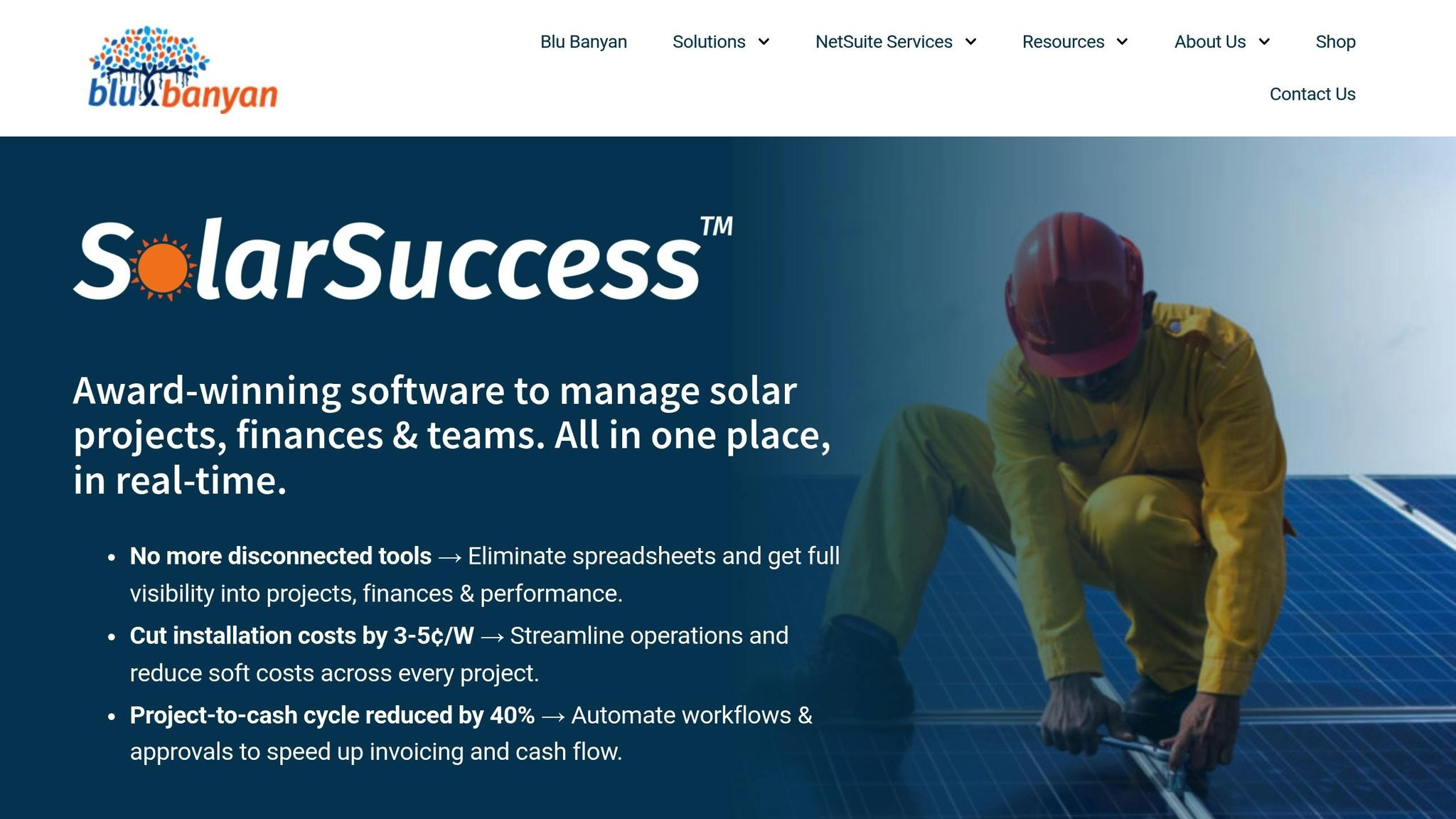
SolarSuccess, a SuiteApp by Blu Banyan, simplifies the setup of solar sales pipelines by offering pre-configured stages, custom fields, and workflows tailored specifically for solar companies. It eliminates much of the manual setup typically required, saving time and reducing errors.
For example, Titan Solar Power used SolarSuccess to streamline their processes for design, permitting, and financing. This shows how industry-specific tools can make operations more efficient.
SolarSuccess not only includes the custom fields mentioned earlier but also adds advanced tracking features. It integrates seamlessly with financing partners, design software, permitting systems, and scheduling tools. This ensures smooth data flow across platforms, minimizing manual entry and errors.
Additionally, SolarSuccess provides pre-built reports and dashboards to monitor key metrics like average system size, financing mix, and permit approval timelines. These insights help sales managers spot bottlenecks and refine their pipeline processes in real time.
Managing Opportunities and Forecasting Revenue
Once your pipeline stages and custom fields are set up, the next step is managing opportunities efficiently and creating accurate revenue forecasts. Solar projects often involve intricate financing and long sales cycles, so precise tracking is essential. By building on your customized pipeline, you can refine how opportunities are managed and improve forecasting accuracy.
Tracking Opportunities in NetSuite
Start by assigning stage-specific probabilities based on your historical data, not generic industry averages. For example, an opportunity in the "Site Assessment Scheduled" stage might have a 25% probability, while one in "Contract Negotiation" could be at 70%. Regularly update expected close dates as projects progress through permitting and financing stages, which are often subject to delays from weather, permits, or utility schedules.
Automate weekly reviews of these close dates, particularly for opportunities in the later stages where delays can have a bigger financial impact. Solar-specific custom fields like System Size and Financing Type play a key role here. For instance, the System Size field helps estimate potential revenue, while Financing Type (e.g., Power Purchase Agreements or cash deals) influences cash flow timing and revenue recognition patterns.
It’s also a good idea to link opportunities to specific sales representatives and installation teams early on. This helps maintain accountability and makes resource planning smoother as opportunities progress toward closing.
Creating Pipeline Reports and Sales Forecasts
NetSuite’s reporting tools enable you to create detailed pipeline reports and sales forecasts tailored to your business needs. These reports provide the foundation for planning and resource allocation.
- Build a weighted pipeline report by multiplying opportunity values by their stage probabilities. This report should highlight total weighted pipeline value, average deal size, and expected close dates by month and quarter.
- Use sales velocity reports to measure how quickly opportunities move through your pipeline. By tracking the average time spent in each stage, you can pinpoint bottlenecks and set more realistic expectations for customers.
- Set up monthly and quarterly forecast reports to break down expected revenue by financing type. For instance, cash deals provide immediate revenue, while leases and PPAs generate recurring revenue streams. These reports should display metrics like monthly recurring revenue (MRR) and total contract value (TCV).
Take advantage of NetSuite’s dashboard functionality to create real-time views of your forecasts. Include metrics like total pipeline value, stage-by-stage conversion rates, and average system size. Configure these dashboards to refresh automatically, and align them with your revenue recognition milestones for a more accurate picture of your progress.
Revenue Recognition Across Sales Stages
Solar projects often require revenue recognition tied to specific milestones in the contract. SolarSuccess simplifies this process by automating recognition rules based on project completion stages.
For contracts with milestone-based payments, set up recognition schedules such as 20% at contract signing, 30% at permit approval, 40% at installation completion, and 10% after utility interconnection. SolarSuccess triggers these recognition events automatically as opportunities move through the pipeline.
For lease and PPA contracts, which typically span 15-25 years, SolarSuccess integrates with NetSuite’s subscription billing features to manage recurring revenue schedules seamlessly. On the other hand, cash transactions often involve full revenue recognition at installation completion, though some contracts may defer a portion of revenue until system performance is verified. These rules can be configured in SolarSuccess to ensure compliance with accounting standards.
Keep an eye on deferred revenue balances for projects involving milestone-based payments. Solar companies often receive deposits or progress payments before earning the full revenue. SolarSuccess tracks these balances automatically and provides reporting to monitor cash flow against recognized revenue.
The system also manages change orders and project modifications that affect revenue recognition. For example, if a customer decides to upgrade their system size or add battery storage, SolarSuccess adjusts the recognition schedule and updates your forecasting reports to reflect these changes.
Improving Collaboration and Automation
Once your pipeline stages and revenue tracking are set, the next step is to strengthen team communication and streamline repetitive tasks. Solar sales often involve a variety of stakeholders – sales reps, engineers, installers, and permit specialists – all working together to ensure smooth deal progression.
Using Collaboration Tools
NetSuite’s built-in collaboration tools are designed to keep solar teams aligned throughout the sales process. For instance, the tagging system makes it easy to alert specific team members when their input is needed. Imagine an opportunity reaching the "Site Assessment Scheduled" stage – NetSuite can automatically tag the engineering team to prepare for the site visit.
The notes and communication features provide a centralized space to log all customer interactions. Sales reps can document key details like customer preferences, site conditions, and financing options within each opportunity. This ensures everyone has access to the critical information needed for seamless follow-ups.
With activity scheduling, you can coordinate site visits, customer meetings, and permit deadlines directly within NetSuite. Linking these activities to specific opportunities gives your team a clear view of upcoming milestones and potential bottlenecks. This is especially useful in solar projects, where delays – like weather issues or permit hold-ups – can impact multiple deals.
These built-in tools form a strong foundation for collaboration, and Blu Banyan’s SuiteApps take it a step further with solar-specific enhancements.
Adding Blu Banyan SuiteApps
Blu Banyan’s SuiteApps complement SolarSuccess by adding tools tailored to the solar industry. Here’s how they elevate collaboration:
- bluChat integrates real-time messaging into NetSuite, making it easier for team members to discuss opportunities without juggling multiple apps. The SMS feature is particularly handy for coordinating with field teams during installations or site visits.
- bluDocs simplifies document management, allowing teams to track and share contracts, permits, and other files directly within NetSuite. Version control and approval tracking ensure compliance with local permitting and utility requirements.
- bluTime helps track the time spent on each project phase, offering valuable insights for improving efficiency and pricing future projects. For example, if your team consistently spends more hours than expected on permits in certain areas, you can adjust your timelines or pricing accordingly.
Together, these SuiteApps create a centralized workspace where sales, engineering, and installation teams can collaborate seamlessly. This reduces information silos and keeps pipeline updates in sync with real-time project progress.
Setting Up Automated Workflows for Solar Pipelines
With collaboration tools and SuiteApps in place, automating repetitive tasks becomes the next priority. NetSuite’s SuiteFlow automation engine eliminates manual processes and enforces consistency across your solar sales pipeline. By automating workflows, you can streamline the lead-to-cash process, integrating sales, CRM, and financial operations.
Here’s how automation can help:
- Automatically notify relevant teams when an opportunity moves stages. For instance, when moving from "Proposal Sent" to "Contract Negotiation", SuiteFlow can alert the contracts team and assign tasks for document preparation.
- Set up approval workflows for deals requiring special pricing or exceeding thresholds. For example, any deal over $50,000 or involving custom financing terms can be routed to management for approval before advancing.
- Use data validation workflows to ensure pipeline accuracy. If an opportunity reaches "Site Assessment Complete" but lacks key details like system size or roof condition, the system can block progression and notify the responsible team member.
These workflows can be tailored to fit your company’s unique processes. For example, if you specialize in commercial solar projects, you might automate legal reviews for large contracts or trigger environmental assessments for sizable installations.
sbb-itb-2560759
Creating Custom Dashboards and KPIs for Real-Time Insights
After streamlining your processes and setting up automation workflows, the next step is creating dashboards that provide instant visibility into your solar sales performance. These dashboards take raw pipeline data and turn it into insights you can act on. By doing so, you can uncover trends, address bottlenecks, and make informed, data-driven decisions. Additionally, defining KPIs and setting up alerts transforms these dashboards into tools that help you proactively manage your operations.
Building Solar-Specific Dashboards
NetSuite’s dashboard builder allows you to design visual displays that focus specifically on solar sales metrics. Unlike general CRM dashboards, these are tailored to your industry’s unique needs – things like system sizes, installation timelines, and seasonal sales trends.
Start by tracking pipeline value with portlets that display the total value of opportunities at each stage. For example, you might see $2.3M in "Proposal Sent" and $1.8M in "Contract Negotiation", giving you a quick snapshot of revenue distribution.
Conversion rate widgets are another essential tool. They help you measure how effectively opportunities move through your sales pipeline. For instance, you can track lead-to-proposal conversion rates (commonly 15–25% for solar companies) and proposal-to-contract conversion rates (typically 30–45%). If these rates dip below your benchmarks, it’s a signal to investigate potential issues.
For solar companies managing multiple project phases, installation timeline dashboards are invaluable. These dashboards can show the average time spent in each stage – from the initial contact to system commissioning. If your "Permit Approval" stage usually takes 45 days but recent projects are averaging 60 days, you’ll catch the delay early and can work with your permitting team to resolve it.
SolarSuccess takes these dashboards a step further with pre-built widgets tailored to the solar industry. These include metrics like system capacity by region, seasonal sales trends, and installer workload distribution. These components save you setup time and ensure you’re tracking the metrics that matter most.
Once your dashboards are set up to display key metrics, the next step is to define KPIs and alerts so you can monitor performance in real time.
Setting Up Custom KPIs and Alerts
Dashboards are only as effective as the actions they inspire. That’s where tailored KPIs and alerts come in. These tools turn your dashboard data into actionable notifications, helping your team stay on track.
Sales velocity KPIs are particularly useful for monitoring how quickly deals progress through the pipeline. For example, you can set an alert if an opportunity stays in "Site Assessment Scheduled" for more than 14 days. This ensures sales reps follow up promptly, reducing the risk of deals stalling.
Another critical metric is revenue forecasting KPIs, which compare your projected monthly sales to your targets. If your quarterly forecasts fall short by more than 10%, an alert can notify sales managers to take corrective action.
You can also set up milestone alerts to keep installation teams on schedule. For instance, if a project slated for December completion is still in permitting by mid-November, an automated alert can prompt a discussion about adjusting timelines. Additionally, custom alerts can track regional utility policy changes or seasonal weather impacts, helping your team set realistic expectations with customers and adapt their approach as needed.
Setting Up U.S.-Specific Metrics
For solar companies operating in the United States, it’s crucial that dashboards reflect local standards and practices. NetSuite’s localization features ensure your data is displayed in formats familiar to your team and customers.
Configure dashboards to include metrics like system capacity in kW, annual production in kWh, roof measurements in square feet, and temperature in Fahrenheit. Financial figures should be displayed in U.S. dollars (e.g., $125,000), and dates should follow the MM/DD/YYYY format. You can also add sections to track pipeline performance by state, factoring in local variables such as net metering policies, tax credits, and utility timelines.
Standard NetSuite CRM vs. SolarSuccess for Solar Pipelines
When it comes to managing solar sales pipelines in NetSuite, you have two primary options: sticking with NetSuite’s standard CRM features or opting for SolarSuccess, an ERP solution tailored specifically for the solar industry by Blu Banyan. While both options can support your sales operations, they differ in how well they address the unique demands of solar businesses.
NetSuite’s standard CRM provides essential tools like opportunity tracking, lead management, sales forecasting, and basic pipeline reporting. These features are a good starting point for newer solar companies but often require additional customization to handle industry-specific needs, such as tracking system specifications or scheduling installations.
SolarSuccess, on the other hand, comes pre-configured with workflows designed for every stage of the solar sales process – from site assessments to final commissioning. This solar-focused setup not only reduces the time and effort needed for implementation but also simplifies operations for growing solar businesses.
Benefits and Drawbacks
Deciding between standard NetSuite CRM and SolarSuccess depends on factors like your company size, operational complexity, and growth objectives. Here’s a side-by-side comparison to help clarify the differences:
| Feature | Standard NetSuite CRM | SolarSuccess |
|---|---|---|
| Implementation | Requires extra customization for solar workflows | Pre-configured for solar-specific processes |
| Industry Specificity | Built for general sales processes | Tailored for solar sales and project management |
| Data and Metrics | Manual setup needed for solar-specific tracking | Includes dashboards and KPIs designed for solar |
| Project and Installation Management | Basic project tracking capabilities | Advanced scheduling and project management tools |
| Financial Workflow Integration | Standard accounting integrations | Solar-specific financial workflows included |
| Scalability | Ongoing customization may be needed | Designed to grow with solar industry demands |
For smaller companies with straightforward processes, NetSuite’s standard CRM can do the job, though it will likely require some extra effort to customize. However, as your operations expand and projects become more complex, SolarSuccess provides a more streamlined, solar-specific solution that reduces manual adjustments and improves efficiency.
Beyond pipeline management, SolarSuccess enhances teamwork by incorporating Blu Banyan’s productivity tools. Features like bluChat for team communication and bluDocs for document management create a unified platform where sales teams, field crews, and project managers can collaborate seamlessly – no need to juggle multiple systems.
Ultimately, the best choice depends on your business needs and growth strategy. For those aiming to scale efficiently while managing complex solar projects, SolarSuccess offers a specialized, all-in-one solution to keep your solar sales process running smoothly.
Conclusion: Simplifying Solar Sales with NetSuite and SolarSuccess
Managing solar sales pipelines goes beyond the capabilities of a standard CRM system – it requires tools designed specifically for the unique challenges of the solar industry. That’s where NetSuite, paired with SolarSuccess, steps in to simplify opportunity tracking, project management, and overall revenue growth.
With features like custom pipeline stages, solar-specific fields, and automated workflows, your sales team can close deals more efficiently while ensuring a smooth customer experience. Real-time insights support quick decision-making, and collaboration tools such as bluChat and bluDocs help maintain clear communication across your organization. This streamlined process also improves revenue forecasting by providing timely and accurate data.
Accurate revenue forecasting becomes much easier when your system is built to follow the solar project lifecycle. SolarSuccess offers pre-configured workflows tailored to every stage of a solar project, emphasizing the value of industry-focused ERP solutions for meeting the unique demands of solar businesses.
Choosing between standard NetSuite CRM and SolarSuccess depends on your business needs. For solar companies, SolarSuccess reduces manual tasks and seamlessly integrates sales, project, and financial operations. By aligning these processes, SolarSuccess helps solar businesses scale efficiently and operate more effectively.
FAQs
How does SolarSuccess improve NetSuite CRM for solar businesses?
SolarSuccess takes NetSuite CRM to the next level by incorporating tools specifically designed for the solar industry, making operations smoother and more efficient. It includes features like advanced tracking for sales pipelines, real-time project updates, and personalized KPIs tailored to meet the unique demands of solar companies.
By bringing together CRM, accounting, project management, inventory, and procurement into one platform, SolarSuccess simplifies daily processes, increases productivity, and offers real-time insights into both financial and operational data. This all-in-one solution helps solar businesses improve performance and boost profitability.
What are the benefits of using custom fields in NetSuite to manage solar sales pipelines?
Custom fields in NetSuite give solar companies the flexibility to shape their sales pipelines according to specific industry requirements. By tailoring how data is collected, businesses can achieve more precise results, simplify workflows, and cut down on manual mistakes – saving both time and effort.
These fields also enhance reporting and segmentation, providing deeper insights into sales performance and pipeline progress. This empowers teams to make smarter decisions, improve project management, and meet customer expectations more effectively, all while addressing the unique challenges of the U.S. solar market.
How do automation and collaboration tools help streamline solar sales pipeline management?
Automation and collaboration tools have the power to streamline solar sales pipelines by making lead management easier, automating follow-ups, and fine-tuning workflows. By cutting down on manual tasks, these tools free up teams to concentrate on what really matters – closing deals more quickly and with greater precision.
With advanced features like AI-powered insights, the process gets even better. These tools can generate new leads, handle repetitive sales tasks, and deliver real-time updates on pipeline progress. The result? Shorter sales cycles and improved team communication, creating a smooth and efficient workflow that keeps everyone on the same page.
