
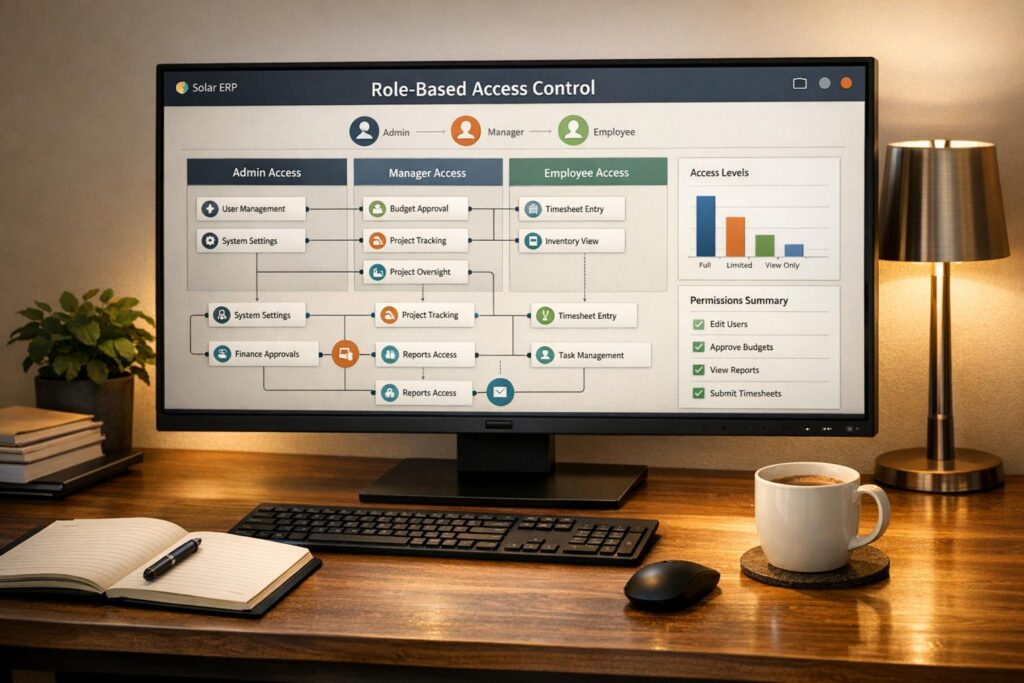
Role-Based Access Control (RBAC) ensures employees in solar companies only access the data they need for their jobs. This minimizes security risks, prevents data breaches, and simplifies compliance with regulations like GDPR and SOX. Without RBAC, businesses face risks like insider threats, compliance failures, and costly breaches. Here’s what you need to know:
- What RBAC Does: Assigns permissions based on roles (e.g., Accountant, Field Technician), ensuring access is limited to job-specific data.
- Benefits: Improves security, reduces errors, simplifies onboarding/offboarding, and maintains clear audit trails.
- Risks Without RBAC: Overexposed data, fraud risks, and regulatory fines.
- How to Implement: Define roles, align permissions with workflows, and use tools like SolarSuccess for centralized management.
- Ongoing Management: Conduct regular audits, train staff on security, and monitor access patterns.
RBAC isn’t just about security – it’s a smart way to streamline operations and protect sensitive solar ERP data.
What Is Role-Based Access in Solar ERP?
Role-Based Access Control (RBAC) in a solar ERP system manages permissions by assigning predefined roles – like Lease Administrator, Accountant, or Field Technician – to specific access levels. When a new team member joins, you simply assign them a role, and the system automatically grants the correct permissions.
This setup ensures that sensitive workflows, such as handling lease agreements, financial records, project onboarding, or equipment updates, are restricted to authorized users. For instance, a sales representative might have access to customer accounts and project timelines but not payroll data. This approach follows the Principle of Least Privilege, meaning users only get the minimum access needed to perform their jobs.
RBAC also enforces Separation of Duties (SoD) to minimize risks. For example, one employee might submit a reimbursement request, while another must approve it. This reduces the chances of internal fraud or errors – a critical safeguard considering insider breaches account for 35% of all data breaches and have led to over 1 billion lost records. This framework lays the groundwork for the benefits and strategies discussed below.
Benefits of Role-Based Access
RBAC offers several advantages, particularly in enhancing security and operational efficiency. By limiting access to only what’s necessary, it reduces the system’s "attack surface", making it harder for hackers to exploit vulnerabilities. It also curtails the risk of lateral movement, where attackers use compromised credentials to gain access to more sensitive systems.
"By restricting users’ access to the resources needed for their roles, RBAC can help defend against malicious insiders, negligent employees and external threat actors." – IBM
On the operational side, RBAC simplifies onboarding and offboarding. Assigning a role automatically grants or revokes the appropriate permissions, eliminating the risk of "privilege creep", where users accumulate unnecessary access over time. It also enhances the user experience by tailoring interfaces to show only relevant dashboards, reports, and navigation options for each role.
For compliance, RBAC provides a transparent audit trail that records who accessed sensitive data and when. This is crucial for adhering to regulations like SOX, GDPR, and SOC, which require strict control and documentation of data access.
Risks of Not Using Role-Based Access
Without RBAC, your solar ERP system could become a major security vulnerability. Employees might receive more access than they need, increasing the likelihood that a compromised account could be used to infiltrate sensitive areas like financial records, personal data, or proprietary project information. This kind of lateral movement is a common attack method, with valid account abuse ranking as a top cybersecurity threat.
Insider threats are another significant concern. While external attacks led to 200 million lost records during one study period, internal breaches resulted in over 1 billion lost records. Additionally, the average cost of a data breach caused by a malicious insider is $4.92 million – higher than the overall average breach cost of $4.44 million. Even unintentional actions, like accidental deletions or misconfigurations, can cause substantial damage when employees have access to systems they’re not equipped to handle.
Failing to implement RBAC can also lead to compliance issues. Regulatory standards demand strict control over sensitive data, and without RBAC, it’s challenging to maintain a clear audit trail. This lack of oversight can result in hefty fines under regulations like GDPR, SOX, or SOC. These risks highlight the importance of adopting role-specific access strategies, which will be explored in the next sections.
How to Implement Role-Based Access in Solar ERP
Define Roles Based on Team Responsibilities
Start by mapping roles to specific job functions. For instance, a Project Manager should have access to tools for milestone tracking and resource allocation, while an Accountant needs permissions for general ledger, accounts receivable, and project costing. A Service Technician, on the other hand, should only access warranty claims and maintenance requests, avoiding financial records altogether.
Providing only the necessary access is critical. In fact, cyberattacks against companies rose by 31% in 2021 alone, underscoring the importance of this approach.
"Role-based access with granular permission controls is essential for implementing Principle of Least Authority (POLA) when granting ERP access to your employees." – Lisa Schwarz, Senior Director of Global Product Marketing, NetSuite
To streamline the process, customize roles using standard templates while retaining dashboard settings. Assign the appropriate Center Type for each role, as this determines the navigation menus and dashboards users can access. For example, an accounting center will have entirely different options compared to a project management center.
Once roles are clearly defined, the next step is to calibrate permissions to match the solar workflow stages.
Align Permissions with Solar Workflows
Permissions should align with every phase of the solar project lifecycle, from initial sales to service management. NetSuite provides four levels of access: View, Create, Edit, and Full.
"Access should be aligned with the ‘principle of least privilege.’ This is the concept that users should only be granted access to a system to perform their assigned duties and nothing more (or less)." – Sonny Spencer, Director of Finance Operations, Salto
For critical workflows like procure-to-pay, implement Segregation of Duties (SOD). This means splitting responsibilities between roles – for example, assigning a Vendor Manager, an A/P Specialist, and an A/P Approver – to minimize risks of fraud or errors. Additionally, regularly review the "Deleted Record Audit Log" to identify users with "Full" permissions and adjust their access to "Edit" if necessary, reducing the risk of accidental data loss.
Custom form restrictions can further refine access. For example, a regional sales team can be limited to a specific Sales Order form that displays only the fields relevant to their workflow.
Use SolarSuccess for Role-Based Access

Once roles and permissions are fine-tuned, SolarSuccess provides a centralized solution for managing access. Built on NetSuite’s cloud-based ERP, it eliminates the need to juggle permissions across multiple disconnected systems like accounting, CRM, and project management tools.
SolarSuccess offers solar-specific dashboards and KPIs, delivering real-time metrics tailored to each department and user role. Collaboration tools such as bluChat (for internal communication) and bluActions™ (for workflow management) enhance teamwork within a secure, role-based environment.
In February 2020, Titan Solar Power transitioned to SolarSuccess to replace their fragmented systems. Aaron Casillas, the company’s Technology and Infrastructure Director, led the project, which included adopting the bluChat tool. This change significantly reduced the labor required for partner commission payouts while the company installed 153.5 MW of solar capacity.
"We had a project management system, a file storage system, an accounting system, and others. Sharing data across these systems was difficult, and in most cases our only way to ‘patch the holes’ was by adding labor. We wanted to get everything on one system." – Aaron Casillas, Technology and Infrastructure Director, Titan Solar Power
Today, SolarSuccess supports nearly one-third of rooftop solar installations in the U.S., proving its effectiveness in managing role-based access at scale.
sbb-itb-2560759
Managing and Improving Role-Based Access
After setting up clear role definitions and permissions, the next step is ongoing management to ensure both security and efficiency stay intact.
Audit Roles and Permissions Regularly
Conducting quarterly access reviews helps avoid "permission sprawl", where users accumulate unnecessary access as they change roles or take on temporary projects. Use tools like saved search alerts and audit logs to review user-role mappings and high-risk permissions on a regular basis.
"Auditors want proof, not promises. Use System Notes, login records, and role permissions exports to show who had access and why." – Tom Zargaj, Centium
NetSuite’s "Show Role Differences" tool is particularly helpful for comparing permissions across roles and pinpointing inconsistencies. If you’re working with solar-specific records – like those tracking solar panels or inverter serial numbers – make sure these custom records are included in your audits, as they’re often overlooked.
| Audit Focus | Recommended Tool/Feature | Suggested Frequency |
|---|---|---|
| Permission Drift | Show Role Differences / SuiteAnalytics | Quarterly |
| Change Tracking | System Notes / Audit Trails | Weekly |
| Fraud Detection | Segregation of Duties (SoD) Matrix | Monthly or As Needed |
| Unauthorized Access | Login Audit Trail / IP Restrictions | Real-time Alerts |
| Data Accuracy | Deleted Record Audit Log | Monthly |
Strong audits are just the foundation. Keeping your team informed and trained on security practices is equally important.
Train Teams on Security Practices
Human error, misconfigurations, and social engineering are leading causes of data breaches. To minimize these risks, educate your team on security best practices. Start by explaining the four access levels: View, Create, Edit, and Full. Stress that "Full" access, which allows record deletion, should only be granted when absolutely necessary.
"Human error is the top cyber vulnerability and well-trained humans make fewer errors." – Lisa Schwarz, Senior Director of Global Product Marketing, NetSuite
To strengthen security, require multi-factor authentication (MFA) for admin and finance roles, prioritizing app-based authenticators over SMS for added protection. Additionally, enforce strong password policies, such as a 15-character minimum and a 90-day rotation schedule.
Training should also cover offboarding protocols to ensure access is revoked immediately when employees leave. "Orphaned accounts" from former employees can pose a major security risk. Schedule quarterly reviews with department heads to reassess user-role mappings and identify any access that has shifted due to evolving job responsibilities.
Once your team is well-versed in security practices, use dashboards to actively monitor compliance and detect unusual activity.
Monitor Access with Dashboards
SuiteAnalytics dashboards provide real-time visibility into access patterns. Configure them to flag high-risk activities like large file exports, off-hours access, or unauthorized changes to customization settings.
The NetSuite Compliance 360 SuiteApp is another valuable tool, tracking whether a user has viewed, modified, or deleted customer records. This supports both audits and breach investigations. Real-time dashboards and audit trails ensure you can quickly identify and address unauthorized changes.
"NetSuite’s role-based access control lets you assign permissions based on actual job functions, not just job titles." – Ritch Haselden, CEO, Kimberlite Partners
For those using SolarSuccess, which is built on the NetSuite platform, these governance features are seamlessly integrated. Solar-specific dashboards further enhance oversight, offering real-time KPIs customized for each department and user role.
Common Mistakes in Role-Based Access and How to Fix Them
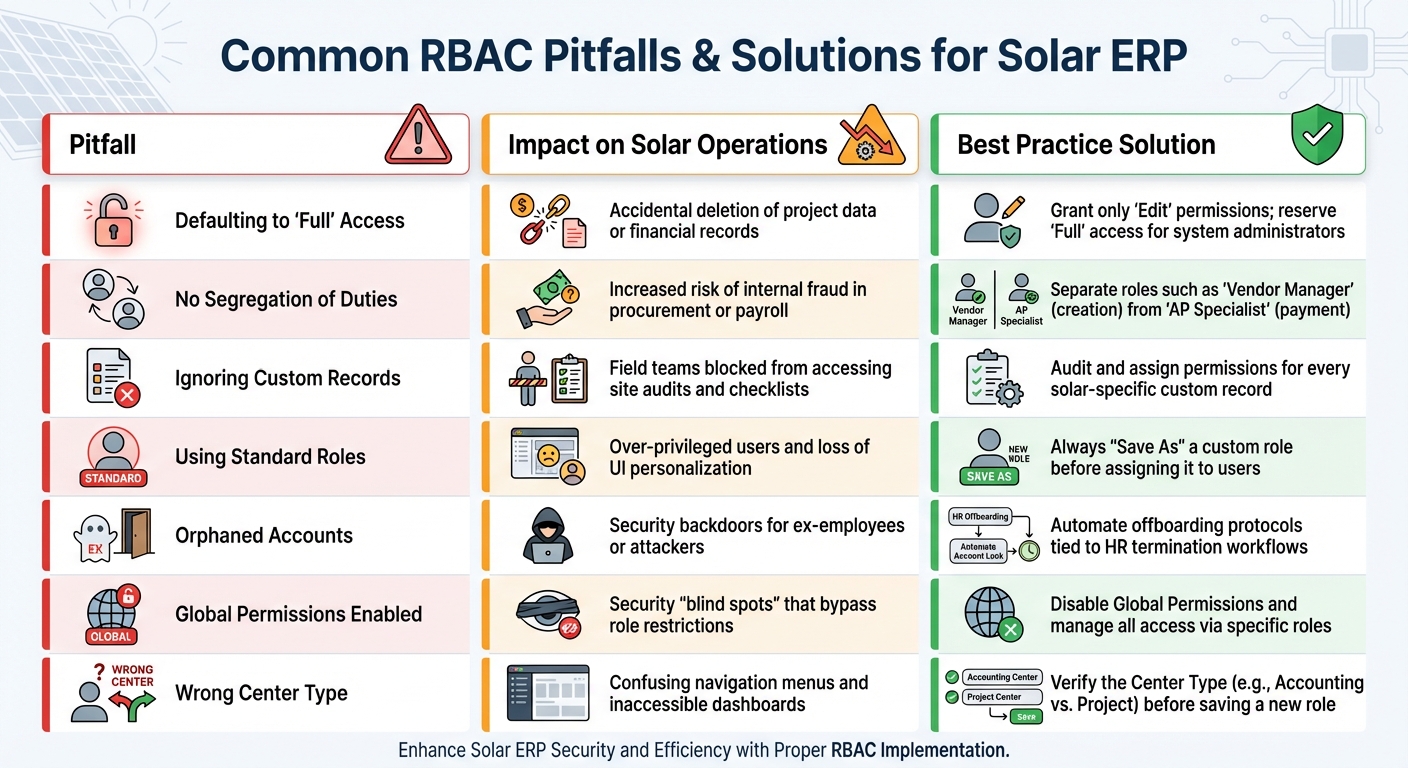
Common RBAC Mistakes in Solar ERP and Best Practice Solutions
Building on the earlier implementation strategies, let’s explore some common mistakes in role-based access control (RBAC) and how to address them. Even well-structured systems can fall prey to small missteps that lead to major security vulnerabilities. By recognizing these pitfalls and correcting them, you can protect your solar ERP from breaches and workflow disruptions.
One frequent error is defaulting to "Full" access. Administrators often grant this level of access by default, which can lead to users accidentally – or maliciously – deleting critical records, such as project milestones or financial transactions. Sonny Spencer, Director of Finance Operations at Salto, emphasizes the risks:
"NetSuite roles and permissions are the keys to the kingdom. Generous default permissions risk unauthorized record modifications".
To avoid this, start with "View" or "Edit" permissions and only grant "Full" access when absolutely necessary, such as for system administrators.
Another common mistake is relying on standard roles without NetSuite customization. Standard roles often come with overly broad permissions that may not align with your specific operational needs. Instead, always copy and rename standard roles before assigning them (e.g., SOLAR_AP_Clerk). This ensures you can fine-tune permissions to fit your team’s requirements while maintaining consistency. Utilizing NetSuite professional services can help ensure these custom roles are architected correctly from the start.
Ignoring custom record permissions can also disrupt operations. Solar-specific records – like equipment serial numbers, site audits, or installation checklists – often require tailored permissions. If field teams suddenly lose access to critical checklists, it’s likely because these custom records weren’t properly included during role setup.
To provide a clearer picture, here’s a comparison of common pitfalls, their impacts, and effective solutions:
Pitfall-Impact-Best Practice Table
| Pitfall | Impact on Solar Operations | Best Practice Solution |
|---|---|---|
| Defaulting to "Full" Access | Accidental deletion of project data or financial records | Grant only "Edit" permissions; reserve "Full" access for system administrators |
| No Segregation of Duties | Increased risk of internal fraud in procurement or payroll | Separate roles such as "Vendor Manager" (creation) from "AP Specialist" (payment) |
| Ignoring Custom Records | Field teams blocked from accessing site audits and checklists | Audit and assign permissions for every solar-specific custom record |
| Using Standard Roles | Over-privileged users and loss of UI personalization | Always "Save As" a custom role before assigning it to users |
| Orphaned Accounts | Security backdoors for ex-employees or attackers | Automate offboarding protocols tied to HR termination workflows |
| Global Permissions Enabled | Security "blind spots" that bypass role restrictions | Disable Global Permissions and manage all access via specific roles |
| Wrong Center Type | Confusing navigation menus and inaccessible dashboards | Verify the Center Type (e.g., Accounting vs. Project) before saving a new role |
Conclusion
Role-based access control is the backbone of a secure and efficient solar ERP system. By applying the principle of least privilege, dividing responsibilities among team members, and tailoring roles to fit real workflows, you protect your business from both external threats and internal errors. With cyberattacks rising by 31% year over year, the need for robust security measures has never been more pressing. These practices are essential to safeguard your operations from vulnerabilities.
Key steps like defining roles based on team responsibilities, conducting quarterly permission audits, avoiding the pitfalls of standard roles, and limiting deletion rights address common weak points that could leave solar installers at risk. Alongside these measures, regular audits, comprehensive team training, and real-time monitoring serve as critical layers of defense. As Sonny Spencer, Director of Finance Operations, explains:
"NetSuite user roles and permissions are a cornerstone of security and efficiency. A well-balanced approach is crucial to empower your end users without compromising data integrity".
Implementing SolarSuccess as your centralized ERP solution strengthens these efforts further. For solar companies juggling procurement, installation, and financing, a unified platform eliminates the inefficiencies caused by disconnected tools, ensuring both security and streamlined operations. Jan Rippingale, CEO of Blu Banyan, highlights this advantage:
"To improve efficiency and profitability, solar installers must have real-time visibility into their entire end-to-end businesses".
Now is the time to review your role structure. Look for issues like permission drift, excessive access, or missing controls in custom records, and apply the fixes outlined above. Even small adjustments can prevent major disruptions down the road.
FAQs
How does role-based access control enhance security in solar ERP systems?
Role-based access control (RBAC) plays a crucial role in securing solar ERP systems by ensuring users can only access the data and tools they need to perform their specific job functions. This approach enforces the principle of least privilege, which helps reduce the chances of unauthorized access and limits vulnerabilities that could arise from mistakes or insider threats.
RBAC also emphasizes separation of duties, a key practice for avoiding conflicts of interest and strengthening internal controls. By restricting access to sensitive information and critical system features, organizations can better shield their operations from external threats while adhering to established security standards.
How can a solar company implement role-based access control effectively in its ERP system?
To set up role-based access control (RBAC) in your ERP system effectively, start by conducting a thorough audit of your current access setup. Take inventory of all users, their roles, and permissions. This helps you spot inactive accounts and permissions that may no longer be necessary.
Next, define roles that align with specific business functions, such as Sales, Installation, or Finance. Each role should include only the permissions needed to perform its tasks – nothing more. Following the principle of least privilege is key here: grant users the minimum access required for their responsibilities. Additionally, separate conflicting duties to minimize potential risks.
Once roles are clearly defined, configure them in your ERP system. If the standard options don’t meet your needs, create custom roles tailored to your business. Make it a habit to review and update these roles regularly to keep up with changes in your organization. Use audit logs and monitoring tools to track user activity and ensure compliance with your policies.
By following these steps, you’ll not only improve security but also streamline your operations – crucial for keeping up with the fast-moving solar industry.
Why is it important to regularly manage role-based access in a solar ERP system?
Managing role-based access control (RBAC) in a solar ERP system isn’t something you can set and forget. As your business grows and changes, user permissions need to evolve too. If left unchecked, roles can accumulate unnecessary privileges – often referred to as permission creep – which makes your system more vulnerable to accidental data leaks or unauthorized access.
Regularly reviewing and updating RBAC is a key step in preventing security issues. Weak access controls, compromised credentials, or even simple human error can lead to breaches. By conducting audits, revising permissions when employees take on new roles, and enforcing strong password policies alongside two-factor authentication, you can keep your ERP system secure and reliable.
Consistent RBAC management also helps with compliance and keeps your operations running smoothly. Whether you’re dealing with new regulations, adjusting for project demands, or managing seasonal staff, keeping roles current ensures employees have the right access to maintain accurate data, real-time insights, and efficient workflows.
