
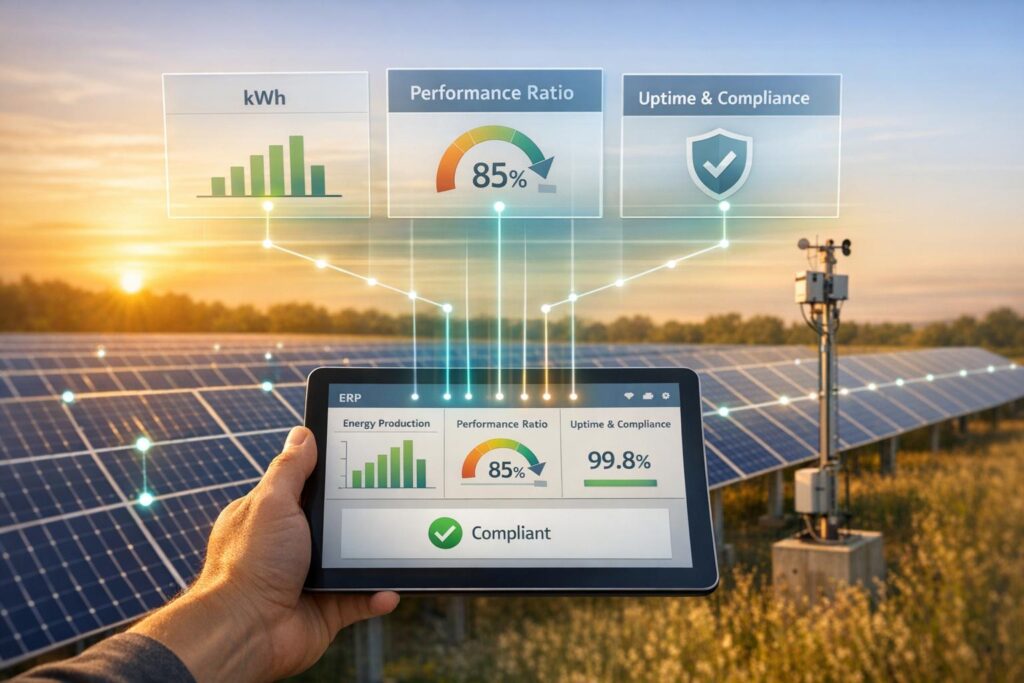
Managing solar projects can be chaotic without the right tools. That’s where ERP (Enterprise Resource Planning) systems come in. They centralize data, streamline reporting, and help solar companies track performance metrics like energy output, costs, and asset health – all in real time.
Key takeaways:
- ERP systems eliminate fragmented data by integrating tools like QuickBooks and Salesforce into one platform.
- Solar-specific ERP features include tracking KPIs like energy yield, downtime, and ROI.
- Automating reports reduces errors by up to 70%, while predictive analytics improve forecasting and decision-making.
- Integrating IoT and SCADA systems with ERP ensures real-time monitoring of solar assets.
Why it matters:
Accurate reporting is critical for solar projects, where small improvements in efficiency can boost profitability and reduce costs. By automating processes and linking data across departments, ERP systems make solar operations more efficient and scalable.
Read on to learn how to set up ERP for solar data integration, monitor KPIs, and automate reports for better performance tracking.
Step 1: Set Up ERP for Solar Data Integration
Choose an ERP system that brings together QuickBooks, Salesforce, and spreadsheets into a single, real-time platform. This ensures all departments work from the same, up-to-date data source.
Configure ERP Modules for Solar Operations
Customize your ERP to handle solar-specific needs like asset management, project tracking, inventory, and service management. A critical step is syncing your Bills of Materials (BOM) with sales orders. This way, procurement teams know exactly what parts are required as soon as a deal is finalized.
Set up milestone-based accounting to automate invoicing at key stages, such as when permits are approved or panels are installed. Integrate Field Service Management tools to log tasks, track parts, and submit expenses directly to project budgets. This enables real-time margin calculations and keeps the financial picture clear.
The benefits are clear. Solar companies that implement ERP systems tailored to their industry have reported labor savings of 10% to 15% and reduced their financial close processes from six weeks to just two.
By setting up these modules, your ERP will be ready to integrate real-time operational data seamlessly.
Integrate IoT and SCADA Systems
Pinpoint the key operational data you need – such as irradiance, inverter performance, temperature, and downtime logs – and connect these to your ERP using protocols like OPC UA, MQTT, or Modbus .
Middleware or IoT gateways can bridge the gap between field devices and your back-office system. For example, you can map SCADA data tags, like inverter performance metrics, to your ERP’s asset management dashboard. Automate maintenance alerts so that when sensors detect issues such as overheating or excessive vibration, the system generates a work order immediately – no manual intervention required. This is crucial because unplanned downtime at utility-scale solar projects can cost as much as $50,000 per day.
Test these integrations in stages, starting with a single site, and maintain fallback controls to ensure reliability. When properly implemented, your ERP becomes the central hub for all data, bridging the gap between engineering teams monitoring SCADA systems and management teams overseeing finances. This setup allows you to generate detailed performance reports, empowering better decision-making across your solar operations.
sbb-itb-2560759
Step 2: Capture and Track Solar Resource Metrics
Once ERP integration is in place, the next step is gathering and tracking performance data. By integrating IoT and SCADA systems, you can collect essential metrics that reveal how assets are performing, pinpoint cost drivers, and help ensure your project remains profitable. These metrics form the backbone of actionable insights for future reporting.
Key Performance Indicators to Monitor
Your ERP system should keep tabs on key metrics spanning operational efficiency, financial performance, asset health, and environmental impact. Here are the critical KPIs to track:
- Operational Metrics: Performance Ratio (PR), Capacity Factor, Energy Yield per MW installed, and Downtime Rate (including Root Cause Analysis or RCA).
- Financial Metrics: Levelized Cost of Energy (LCOE), Return on Investment (ROI), payback period, CAPEX/OPEX ratios, and revenue per kWh.
- Asset Maintenance Metrics: Asset health scores, preventive maintenance schedules, breakdown logs, warranty claims, and spare parts usage – all of which help minimize downtime and avoid unnecessary expenses.
- Environmental Metrics: Carbon Emission Reduction (CO2e), Renewable Energy Certificates (RECs) generated, and total emissions avoided.
Case studies show that incorporating testing data and quality control metrics within ERP systems can lead to noticeable performance gains.
Use ERP Tools for Data Accuracy
The accuracy of your data is critical for producing reliable reports. Eliminating manual data entry and creating a single source of truth are key starting points. Solar-specific dashboards, like SolarSuccess, offer real-time insights into project performance, costs, and profitability. Tools such as bluTime ensure precise tracking of field labor hours, while bluDocs organizes site surveys, permits, and technical revisions, making document management more efficient.
Equipping field technicians with mobile ERP tools allows them to log maintenance and inspection data in real time, cutting down on errors and reducing wasted time. For high-value inventory like panels and batteries, batch and serial-level traceability can speed up warranty claims and improve overall asset management. Additionally, integrating payroll data with tools like LumberFi enables you to monitor labor costs by project and phase without the hassle of manual adjustments. This level of integration ensures both time and costs are tracked with precision.
Step 3: Generate and Customize Resource Performance Reports
After gathering precise, integrated solar data, the next step is turning those insights into actionable, easy-to-understand reports. By consolidating data from all departments, you can ensure consistent, real-time reporting without the hassle of reconciling mismatched spreadsheets or chasing updates from different teams.
Create Visual Dashboards and Reports
Solar-specific ERP tools, such as SolarSuccess, come equipped with pre-built dashboards that highlight critical metrics like project profitability, commission reports, and sales pipeline updates. These dashboards provide a real-time snapshot of where each project stands – both financially and operationally.
Milestone tracking is another powerful feature that simplifies the management of multiple installations. Your ERP system can display timelines that trigger accounting tasks and generate financial reports as milestones are achieved. For instance, when a site passes its inspection milestone, the system can automatically issue an invoice and update your cash flow forecast.
"SolarSuccess is greater than the sum of its parts because it connects all departments and data in real-time." – Blu Banyan
Once these dashboards clarify your current standing, predictive analytics take over to guide future resource planning.
Use Predictive Analytics for Resource Planning
With the insights from dashboards, predictive analytics can forecast energy production, cash flow, and inventory requirements. This is essential for improving battery dispatch efficiency and minimizing supply chain waste by accurately predicting demand.
"Accurate solar forecasts cut operational losses, optimize battery dispatch, lower financing risk and can push projects past the 12% IRR threshold." – Blu Banyan
Companies that integrate ERP-based predictive analytics report up to a 20% reduction in operational costs for green energy projects. Automated alerts further enhance efficiency by flagging when project costs exceed budgets or when milestones are missed, giving managers the chance to address issues before they escalate.
Step 4: Automate Reports and Ensure Compliance
Once your dashboard is set up, it’s time to take manual reporting off your plate while staying aligned with regulatory requirements. Automating these processes can cut errors by as much as 50–70% compared to manual methods, freeing your team to concentrate on strategic tasks rather than tedious data entry tasks. With automated alerts in place, your ERP system not only simplifies reporting but also ensures every piece of data supports informed, compliant decision-making in real time.
Set Up Automated Alerts and Reports
Configure your ERP system to monitor critical solar performance metrics and trigger instant alerts through tools like bluChat when thresholds are breached. For instance, if solar panel efficiency drops below 95%, the system can immediately notify your operations team, ensuring round-the-clock monitoring and minimizing any potential downtime.
You can also automate daily and monthly reports for key metrics like production performance and financial summaries. Platforms such as SolarSuccess, built on NetSuite, allow you to create report templates for metrics like resource utilization and profitability. You can schedule these reports to run automatically and distribute them via email or internal messaging systems. Companies adopting automation in this way have seen up to an 80% drop in the effort required for manual reporting.
These automated workflows don’t just save time – they lay the foundation for consistent and reliable compliance reporting.
Meet Regulatory Compliance Requirements
Your ERP system should serve as a centralized hub for all compliance-related data, maintaining audit trails for every data change, inspection record, and calibration schedule. This approach ensures a single source of truth for compliance documentation, whether you’re preparing for EPA greenhouse gas disclosures, FERC filings, or state-specific sustainability requirements. The system can also generate reports for renewable energy certificates (RECs) and tax incentive filings by pulling real-time performance data from your assets. Make sure all metrics are formatted according to U.S. standards, so your documentation is audit-ready when needed.
Best Practices for Solar Resource Reporting with ERP
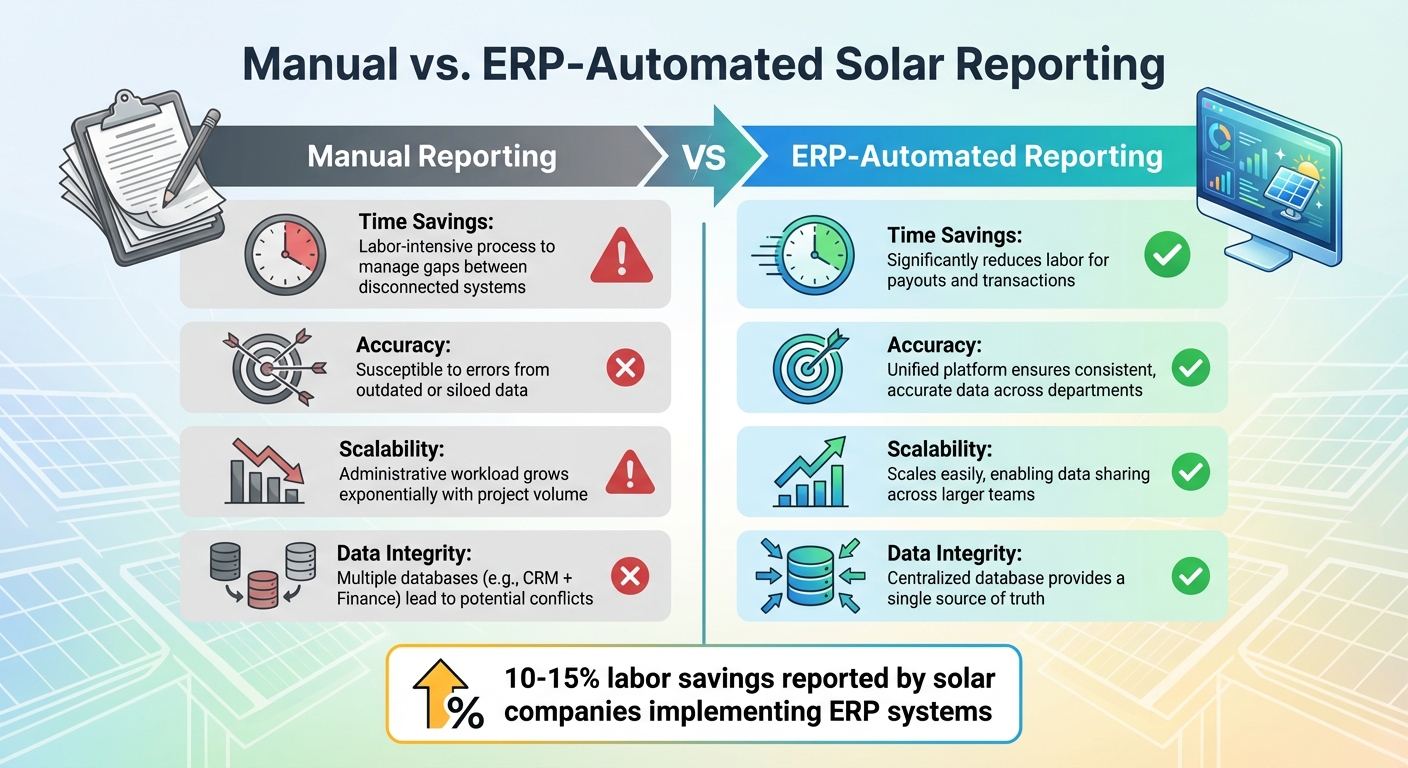
Manual vs ERP-Automated Solar Reporting Comparison
When transitioning from manual processes to ERP automation, the goal isn’t just to implement a new tool – it’s to fundamentally change how data is managed. This shift not only simplifies operations but also ensures the reliability of your insights. Considering that soft costs can account for 64% of a new solar system’s total price, even small gains in reporting efficiency can have a noticeable impact on your bottom line. The following highlights the stark differences between manual and automated reporting.
Manual vs. ERP-Automated Reporting
The advantages of ERP automation become apparent when examining real-world cases. For example, in February 2020, Titan Solar Power – a company responsible for 1% of the U.S. residential solar market – transitioned from a custom-built project management system to NetSuite-SolarSuccess. Led by Technology and Infrastructure Director Aaron Casillas, the change brought immediate benefits: reduced labor for commission payouts and streamlined partner transactions across the organization.
"Sharing data across these systems was difficult, and in most cases our only way to ‘patch the holes’ was by adding labor. We wanted to get everything on one system." – Aaron Casillas, Technology and Infrastructure Director, Titan Solar Power
Here’s a side-by-side look at how manual reporting compares to ERP automation:
| Feature | Manual Reporting | ERP-Automated Reporting |
|---|---|---|
| Time Savings | Labor-intensive process to manage gaps between disconnected systems | Significantly reduces labor for payouts and transactions |
| Accuracy | Susceptible to errors from outdated or siloed data | Unified platform ensures consistent, accurate data across departments |
| Scalability | Administrative workload grows exponentially with project volume | Scales easily, enabling data sharing across larger teams |
| Data Integrity | Multiple databases (e.g., CRM + Finance) lead to potential conflicts | Centralized database provides a single source of truth |
This comparison underscores how automation addresses the scalability and data accuracy issues that plague manual systems. For solar projects, precise forecasting can significantly improve project IRR, often surpassing the critical 12% threshold by optimizing battery usage and reducing financing risks.
Maintain Data Integrity and Accessibility
Ensuring data integrity starts long before reports are generated. Standardized processes, such as using site survey and installation checklist templates, can ensure consistency from the beginning of each project. This approach eliminates the chaos of juggling countless spreadsheets – a common pain point described by Joe Marhamati, Co-Founder and VP of Blu Banyan, when companies consolidate their systems.
Cloud-based platforms revolutionize field operations. By leveraging mobile apps for real-time data capture, teams gain instant visibility into labor and project metrics. This eliminates the delays of manual reconciliation, allowing office staff to track actual labor costs during each project phase without waiting until month-end. When Big Sun Solar adopted SolarSuccess in Spring 2025, they consolidated all project data into one reliable source.
Regular audits of external data are crucial. Implement structured vendor management and KPI tracking to ensure that any external data integrated into your ERP remains accurate. Monitoring solar-specific metrics – such as processing speed, fulfillment rates, and system adoption – helps catch potential issues early, preventing them from affecting your reports. Real-time dashboards further enhance visibility, offering immediate insights into project labor costs and progress.
Accessibility isn’t just about cloud access. Tailored dashboards for each department ensure that teams can focus on the metrics that matter most to them. For example, operations might track installation timelines, while finance monitors profitability by project. This customization allows for quick, informed decision-making without relying on IT to generate custom reports.
Conclusion
ERP systems are revolutionizing solar resource reporting by replacing scattered spreadsheets with a centralized platform. This shift provides real-time insights for procurement, accounting, and sales teams, ensuring that everyone works from a consistent and up-to-date source of information.
By adopting integrated ERP platforms, solar companies have reported labor savings of 10% to 15%. For instance, one contractor managed to cut its month-end close process from six weeks to just two weeks using a solar-specific ERP. These advancements significantly reduce administrative overhead and soft costs, which can make up over 65% of a solar system’s total cost. With real-time tracking of project-specific costs, labor, and profitability, managers can proactively address issues instead of waiting for the books to close. Automated accounting processes tied to project milestones ensure consistent billing and commission payouts without requiring manual effort. Additionally, precise forecasting can help push a project’s internal rate of return (IRR) beyond the critical 12% mark.
ERP platforms also pave the way for scalable, cloud-based operations. These systems provide the flexibility and accessibility needed for growth, enabling internal teams and external partners to collaborate seamlessly from any location. Solar-specific features – like universal financier connectivity and Authority Having Jurisdiction registries – cater to industry-specific demands that generic software often cannot address.
FAQs
What solar data should I integrate into my ERP first?
When integrating solar data into your ERP, start with solar irradiance, insolation, and solar spectrum information. These metrics play a key role in evaluating resources and generating accurate performance reports. By using high-quality solar resource data, your ERP can provide precise performance insights and help guide effective system design and operation.
Which KPIs matter most for solar resource reporting?
Key performance indicators (KPIs) for solar resource reporting focus on energy production, system efficiency, and component-level performance. Tools like the Energy Performance Index (EPI) play an important role by comparing actual energy output to expected performance. This comparison helps pinpoint areas for improvement and fine-tune operations for better results.
How do I automate compliance-ready reports in my ERP?
To simplify compliance-ready reporting in your ERP, take advantage of the automation tools and centralized data capabilities offered by solar-specific ERP systems such as NetSuite. These systems allow you to set up streamlined processes for tasks like document creation, compliance tracking, and report generation, cutting down on manual work and minimizing errors.
Real-time dashboards and specialized tools like bluDocs and bluTime make data collection seamless. They ensure your reports are accurate, current, and easy to generate, all while boosting overall efficiency and dependability.
