
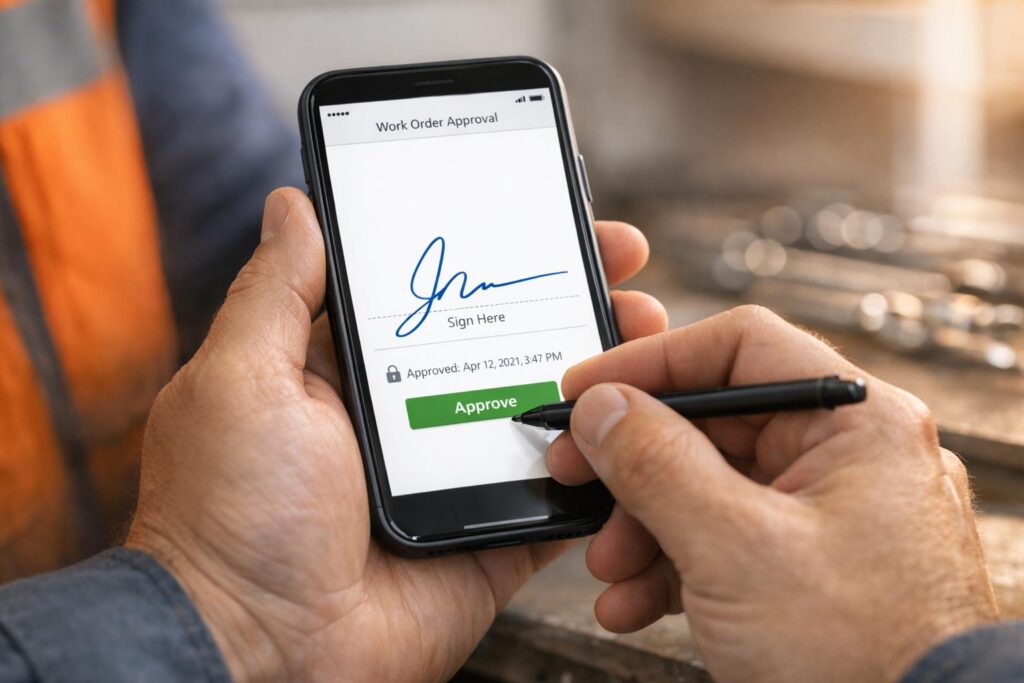
Delayed approvals cost money. Solar and construction companies lose cash flow and time when work orders take weeks to process, often due to fragmented ERP and inventory management. For a contractor managing $10 million annually, reducing approval times from 20 to 5 days could save $29,000 in yearly interest costs. Mobile digital signatures offer a faster, more accurate solution by enabling instant approvals directly from smartphones.
Why switch to mobile digital signatures?
- Faster processing: 59% of digital approvals are completed within 24 hours, compared to weeks with paper.
- Fewer errors: Automated templates reduce mistakes common in handwritten forms.
- Improved collaboration: Real-time updates and offline signing eliminate communication gaps.
- Cost savings: Lower administrative costs and better cash flow management.
1. Paper-Based Work Order Approvals
Handling work order approvals on paper slows down solar and construction operations significantly. On average, it takes 20 days from job completion to get final approval, creating bottlenecks that tie up working capital and keep crews from progressing efficiently. The delays are rooted in several challenges: technicians needing to pick up physical orders, office staff manually entering data, and the risk of documents being misplaced.
Approval Time
The reliance on physical paperwork forces technicians to spend time traveling to pick up work orders, delaying their ability to get started. Often, they have to drive to a warehouse or office just to collect the necessary documents before heading to the job site. After completing a job, the paperwork sits idle until someone manually enters the information into the system – a process that can take hours or even days. For large-scale operations, like installing thousands of smart meters daily, manually tracking printed orders becomes almost unmanageable. These inefficiencies highlight the need for a faster, digital alternative.
Error Reduction
Manual data entry is prone to mistakes. Handwritten forms can be hard to read, and typos or incomplete information can lead to billing errors or unnecessary truck rolls to fix issues. Additionally, paper forms often fail to capture critical data, such as GPS coordinates, installation photos, or precise timestamps. Without this metadata, companies miss out on creating a reliable audit trail, which is essential for maintenance planning and managing assets effectively.
Collaboration Effectiveness
Paper-based systems create gaps in communication between field teams and office staff. Dispatchers struggle to track real-time job progress, sometimes resulting in duplicate work orders being assigned to multiple technicians. Office staff are left waiting for physical documents to return before they can verify work quality or issue invoices, which delays the process further and makes it harder to catch errors before billing. Physical signatures across locations add another layer of delay, and when approvals are urgent, phone calls or voicemails often become the fallback. Unfortunately, these methods frequently result in missed follow-ups, leaving equipment idle.
Digital solutions eliminate these communication barriers and speed up decision-making.
Cost Efficiency
Paper-based processes are not only slow but also costly. Documents can easily get lost or forgotten, stalling approval cycles entirely. Digital systems, on the other hand, offer a near-perfect success rate, virtually eliminating these issues. By reducing errors and streamlining workflows, mobile digital signatures integrated into ERP systems can transform the way approvals are handled, saving both time and money.
sbb-itb-2560759
2. Mobile Digital Signatures in Solar ERP Systems
Integrating mobile digital signatures into solar ERP platforms can drastically cut approval times, transforming what once took days or weeks into mere hours or minutes. Field technicians can now collect customer signatures directly on-site using smartphones, triggering immediate updates for billing, project progress, and secure, timestamped audit trails.
Approval Time
With mobile digital signatures, approvals happen in real time, eliminating the delays caused by mailing physical documents or waiting for technicians to return paperwork. After completing an installation, technicians collect signatures through the ERP app, and the signed document is instantly routed to the next approver, regardless of their device. This ensures a smooth workflow, as the digital signature automatically initiates follow-up actions like scheduling additional crews, ordering materials, or processing invoices. The result? A streamlined process with accurate, error-free data management.
Error Reduction
Paper-based workflows are prone to errors like incorrect data entry, misread handwriting, or outdated information. Mobile digital signatures address these issues by automating processes. Templates ensure all required fields are completed before submission, preventing issues like missing attachments or incomplete forms. Plus, field teams always have access to the latest pricing, terms, and delivery instructions, reducing confusion and ensuring consistency.
Collaboration Effectiveness
Gone are the days of chaotic follow-ups with paper systems. Real-time dashboards now provide instant visibility into the status of work orders – whether they’re awaiting a customer signature, pending manager approval, or archived. Multi-party routing ensures documents reach the right stakeholders in the correct order, allowing customers, lead technicians, and office supervisors to review and approve seamlessly. Even for technicians working in remote areas without connectivity, signatures can be captured offline and synced automatically once the connection is restored, reducing communication gaps.
Cost Efficiency
By slashing work order approval times, mobile digital signatures improve cash flow by accelerating the transition from field completion to final invoicing. Billing is triggered automatically, while centralized, timestamped trails replace scattered emails and informal approvals. This not only mitigates compliance and audit risks but also provides instant, verifiable proof for warranty claims or billable repairs. Solutions like bluDocs from Blu Banyan integrate document management directly into NetSuite-based solar ERPs, ensuring signed work orders are securely stored, tracked, and easily searchable without relying on separate systems or manual file transfers.
Advantages and Disadvantages
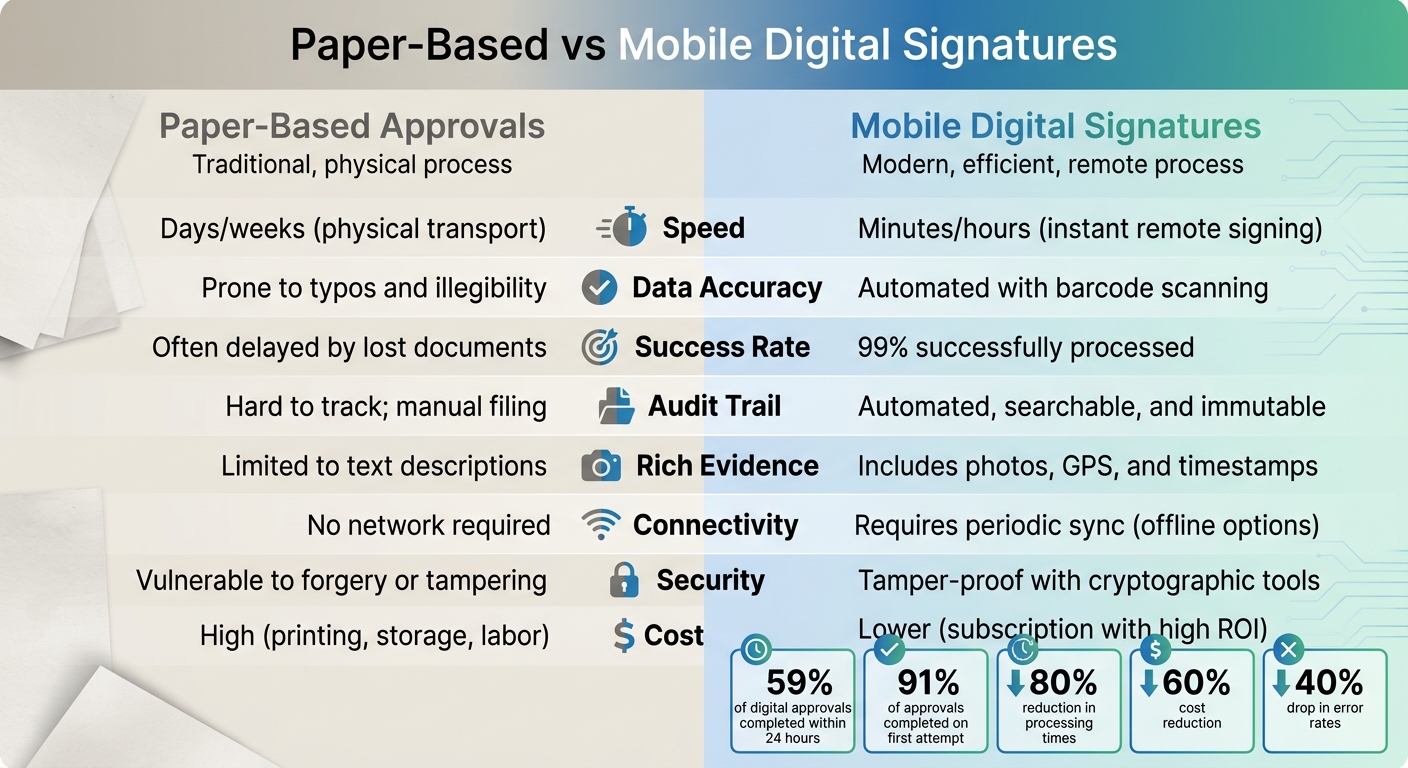
Paper-Based vs Mobile Digital Signatures: Speed, Accuracy, and Cost Comparison
Both paper-based and mobile digital signature systems come with their own set of pros and cons, each influencing how efficiently work orders move through the approval process. By weighing these factors, solar contractors can determine which method – or combination – suits their specific needs best.
Paper-based approvals don’t rely on an internet connection or specialized devices. They’re straightforward, familiar, and require little to no training. Plus, they work seamlessly in areas with no connectivity. However, these benefits are offset by significant drawbacks: approvals can take days or even weeks, errors in manual data entry are common, and there’s no real-time visibility into the approval process. These limitations highlight the advantages of mobile digital signatures.
Mobile digital signatures, on the other hand, address these shortcomings. They boast a 99% approval success rate, with 91% of approvals completed on the first attempt. Automation reduces human errors, and features like GPS coordinates, timestamps, and photos provide a level of accountability and traceability that paper simply can’t match.
That said, mobile systems do have their challenges. Security risks, such as phishing or unsecured devices, can jeopardize contracts if workflows lack proper identity verification and audit trails. Additionally, these systems require periodic syncing and may need offline signing capabilities. There’s also an upfront cost for software subscriptions and training, though many contractors find the investment pays off quickly through reduced administrative work and improved cash flow.
| Feature | Paper-Based Approvals | Mobile Digital Signatures |
|---|---|---|
| Speed | Days/weeks (physical transport) | Minutes/hours (instant remote signing) |
| Data Accuracy | Prone to typos and illegibility | Automated with barcode scanning |
| Success Rate | Often delayed by lost documents | 99% successfully processed |
| Audit Trail | Hard to track; manual filing | Automated, searchable, and immutable |
| Rich Evidence | Limited to text descriptions | Includes photos, GPS, and timestamps |
| Connectivity | No network required | Requires periodic sync (offline options) |
| Security | Vulnerable to forgery or tampering | Tamper-proof with cryptographic tools |
| Cost | High (printing, storage, labor) | Lower (subscription with high ROI) |
Conclusion
Switching from paper-based work orders to mobile digital signatures offers clear advantages. For instance, digital signatures can slash document processing times by 80% and reduce costs by 60% compared to traditional paper methods. Solar contractors, in particular, benefit from 35% faster project completions, as instant approvals eliminate unnecessary delays. Companies using mobile approvals have also reported a 92% boost in productivity, along with a 40% drop in error rates, thanks to automated verification processes. These numbers highlight how digital signatures streamline operations and improve efficiency across the board.
To get started, identify where approval delays are occurring in your current workflow. Begin testing the new system with low-risk work orders, and track the time savings – many contractors experience up to 50% reductions almost immediately. Tools like Blu Banyan’s SolarSuccess, which integrates mobile digital signatures through SuiteApps like bluDocs and bluChat, enable seamless collaboration between office and field teams in real time.
Before rolling out the system company-wide, ensure your field teams are trained on the mobile apps. It’s also critical to choose an ERP system that supports mobile signatures natively and complies with U.S. standards, such as the ESIGN Act. With 65% of solar and construction firms planning to adopt digital signatures by 2026, early adopters stand to gain faster project turnarounds and improved cash flow.
Mobile digital signatures tackle the biggest issues with paper approvals – speed, accuracy, and visibility – while providing tamper-proof, searchable records that protect both contractors and clients. For solar companies managing multiple job sites and remote teams, these signatures are no longer just a convenience – they’re becoming a necessity. Beyond speeding up approvals, this shift to digital strengthens operational reliability and enhances collaboration, making it a smart move for the future of solar ERP systems.
FAQs
Are mobile digital signatures legally valid in the U.S.?
Yes, mobile digital signatures are fully recognized as legally binding in the United States. Thanks to laws like the E-Sign Act (Electronic Signatures in Global and National Commerce Act) and UETA (Uniform Electronic Transactions Act), electronic signatures, including those created on mobile devices, hold the same legal weight as traditional handwritten signatures for most types of transactions. These laws ensure that agreements signed digitally are enforceable, provided they meet certain criteria, such as clear consent and proper authentication.
How do technicians sign work orders when there’s no cell service?
Technicians can rely on offline-ready digital signature apps to sign work orders even when there’s no cell service. These tools securely save signatures directly on the device, syncing them automatically as soon as the connection is back. This way, legally-binding signatures can still be collected in remote locations, keeping workflows smooth and ensuring data stays accurate.
What should I look for when adding mobile signatures to my ERP?
When adding mobile signatures to your ERP system, focus on three key aspects: security, usability, and smooth integration. Choose a solution with features like real-time notifications and tracking to keep approvals transparent and accessible. Make sure it works well on mobile devices, enabling fast and secure signing from anywhere. This not only speeds up workflows but also cuts down on unnecessary delays. Lastly, ensure the solution integrates seamlessly with your ERP to boost teamwork and streamline operations.
